
I'm Ben! 👋




Role
Product and design manager. Owned the roadmap and led design
Team
Two designers and about eight engineers
Platform
Web back office
Summary
A loaner fleet is a capacity problem: how many cars can go out tomorrow, which ones are blocked, and what’s coming back. Managers were answering it on whiteboards and spreadsheets. I led the design of the Planner, which became the first thing in Fleetlane’s navigation and later grew to hold valet and shuttle trips.
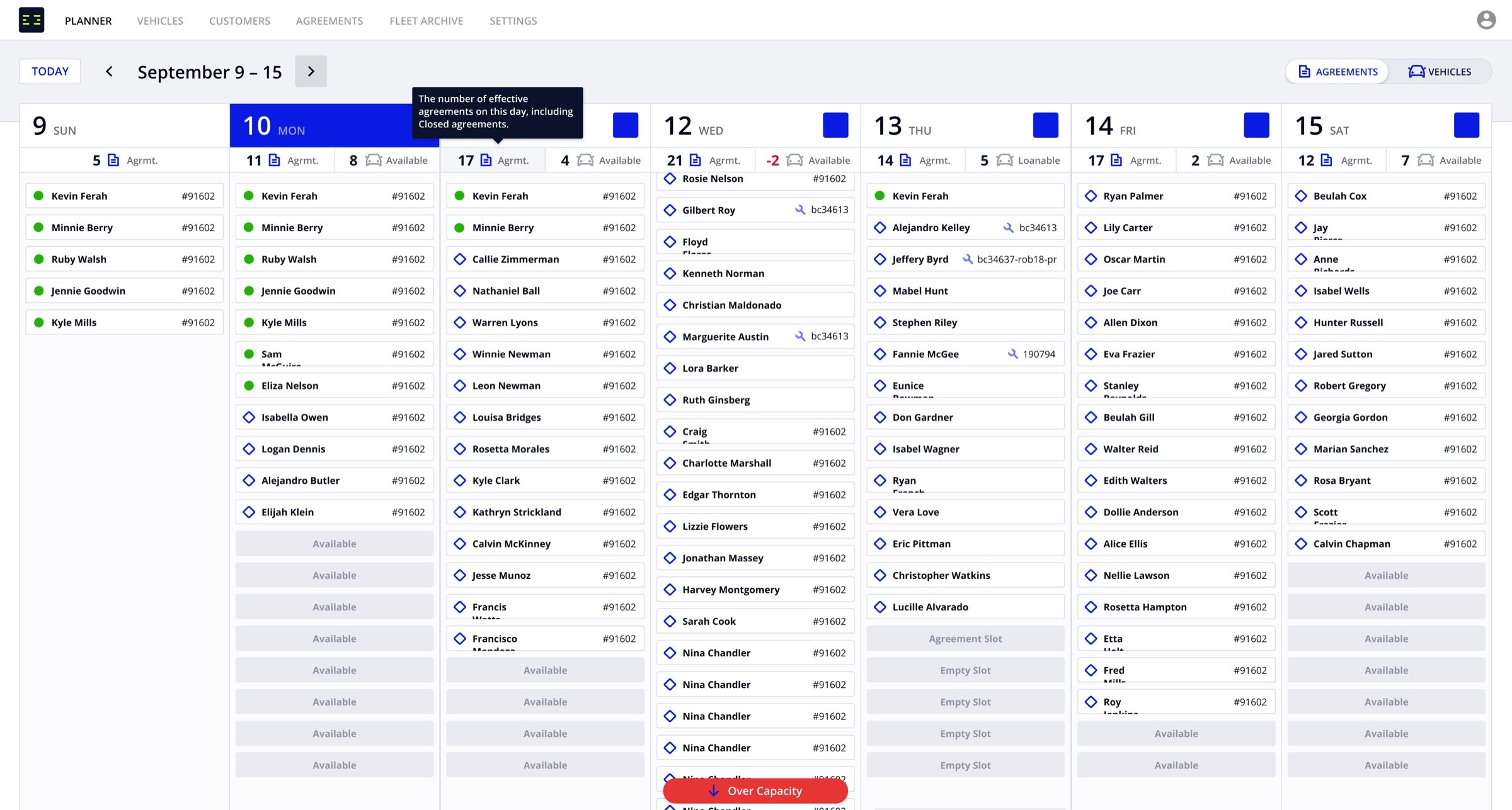

The first version of Fleetlane had a vehicles table, a map and a calendar. None of them answered the questions a manager asks every afternoon: which cars are out, which are free, which are overdue, and how many loaners can we promise tomorrow. So managers kept the answer on a whiteboard or a spreadsheet next to the product.
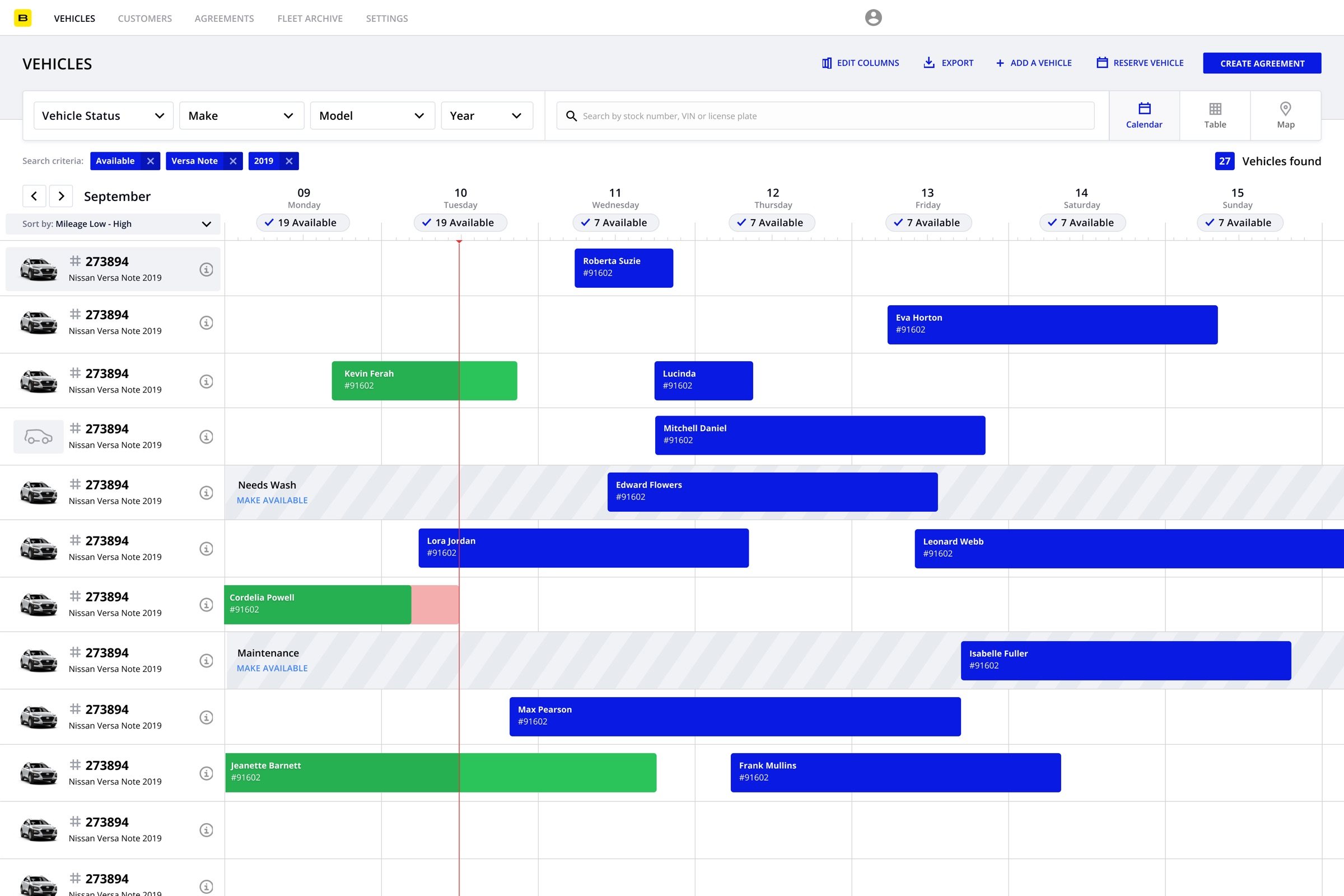
Before the Planner: the first version’s calendar showed cars and bookings, with no count of what could actually go out.

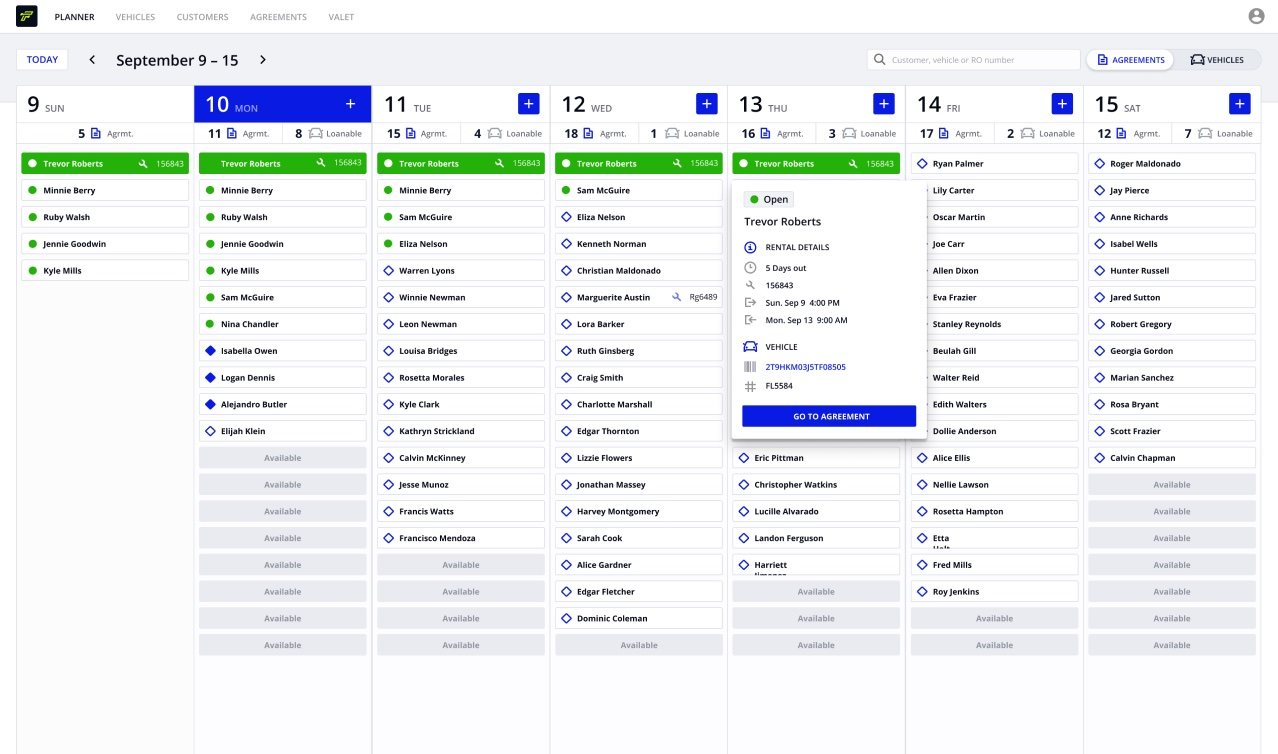
The first Planner put the week on one board, with each day’s agreements and a loanable count. When a day’s bookings exceed what the fleet can cover, the day says so before it becomes a problem at the counter.
A second view shows one car at a time: its bookings across the week, with grounded periods hatched, so a manager can see where a car is free and why another isn’t.
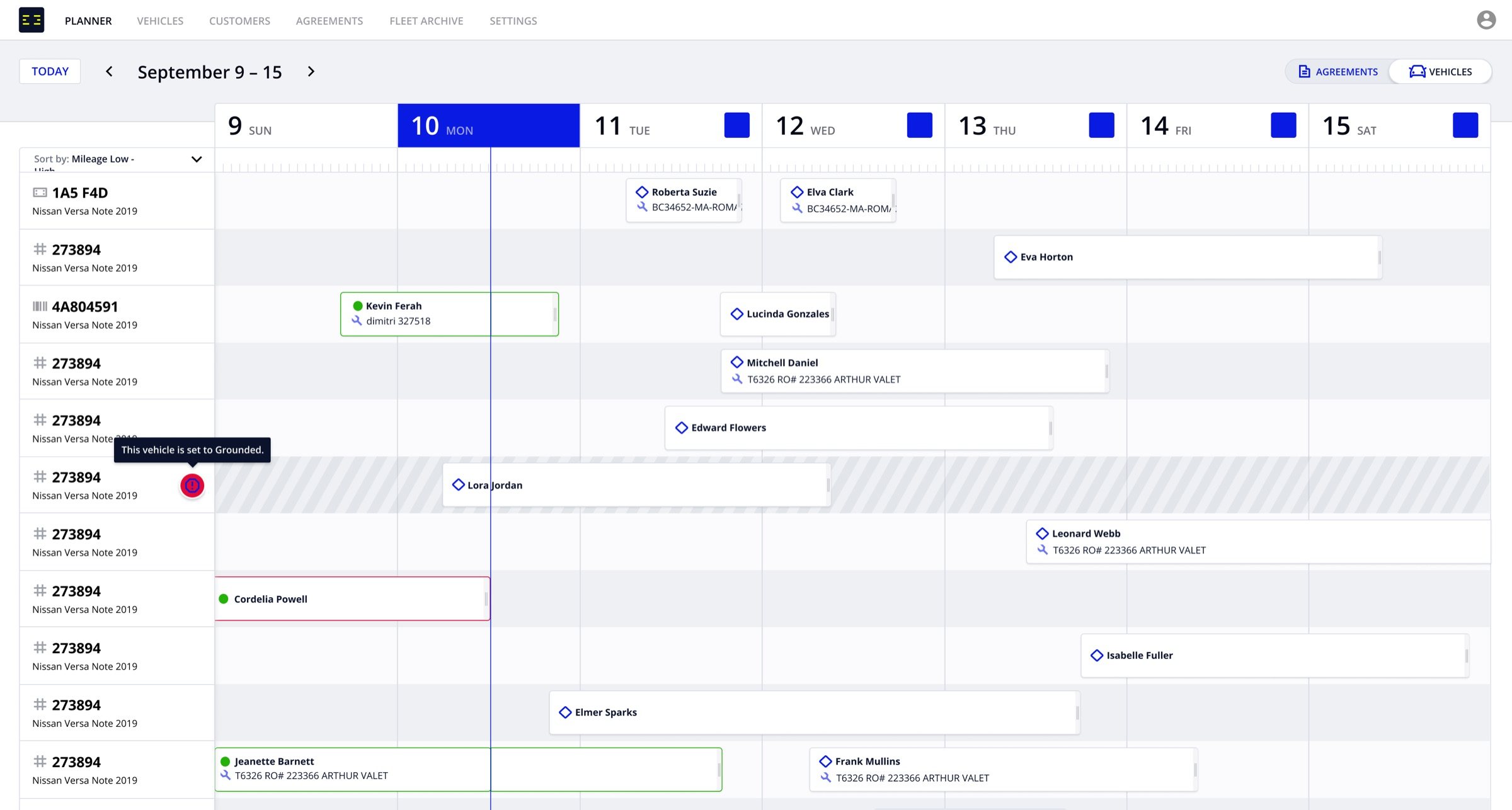
The vehicle timeline: bookings per car, with grounded periods hatched.
The same count followed people into booking. Creating an agreement from the Planner checks capacity for the dates chosen, and flags a schedule conflict before the booking is saved.
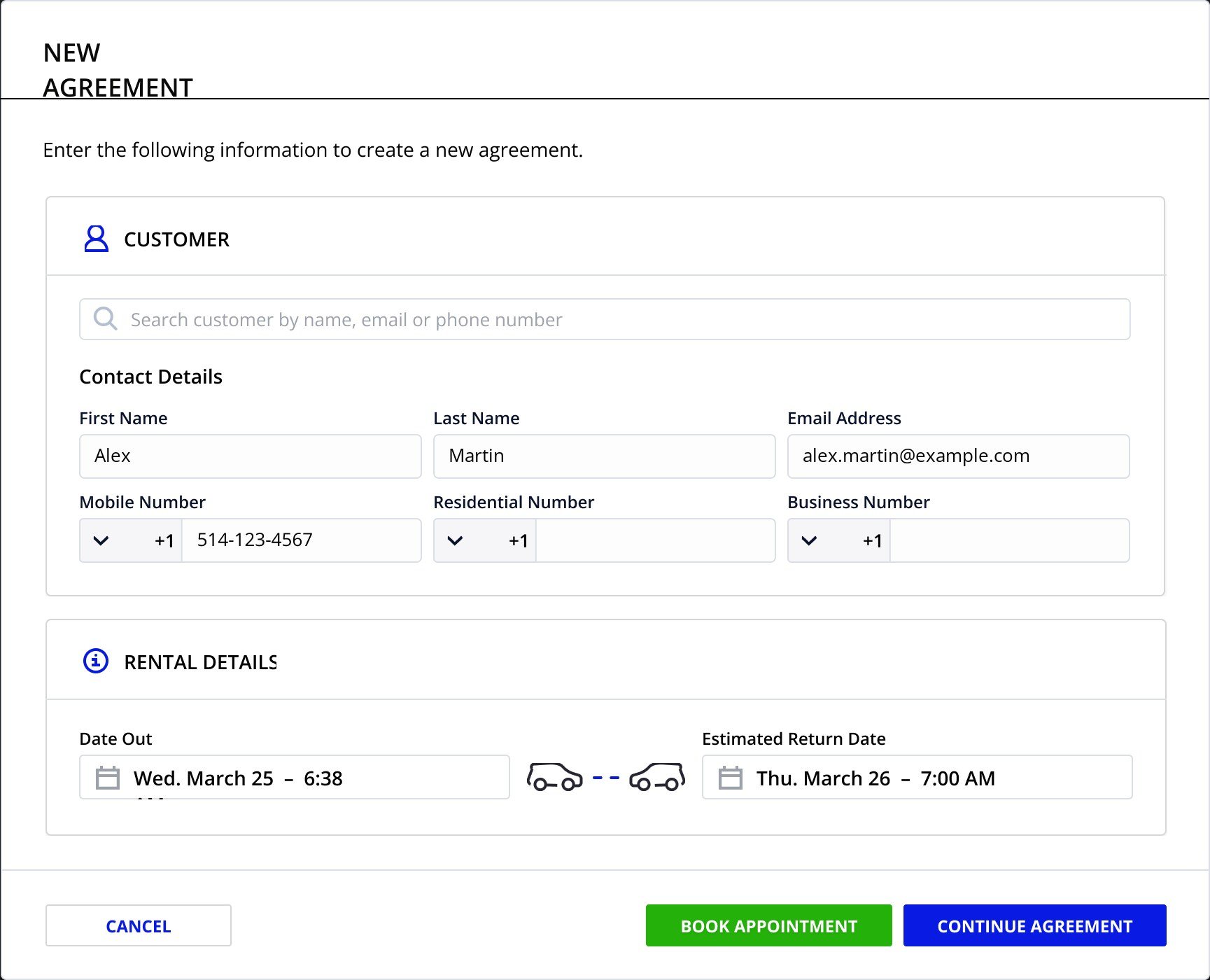
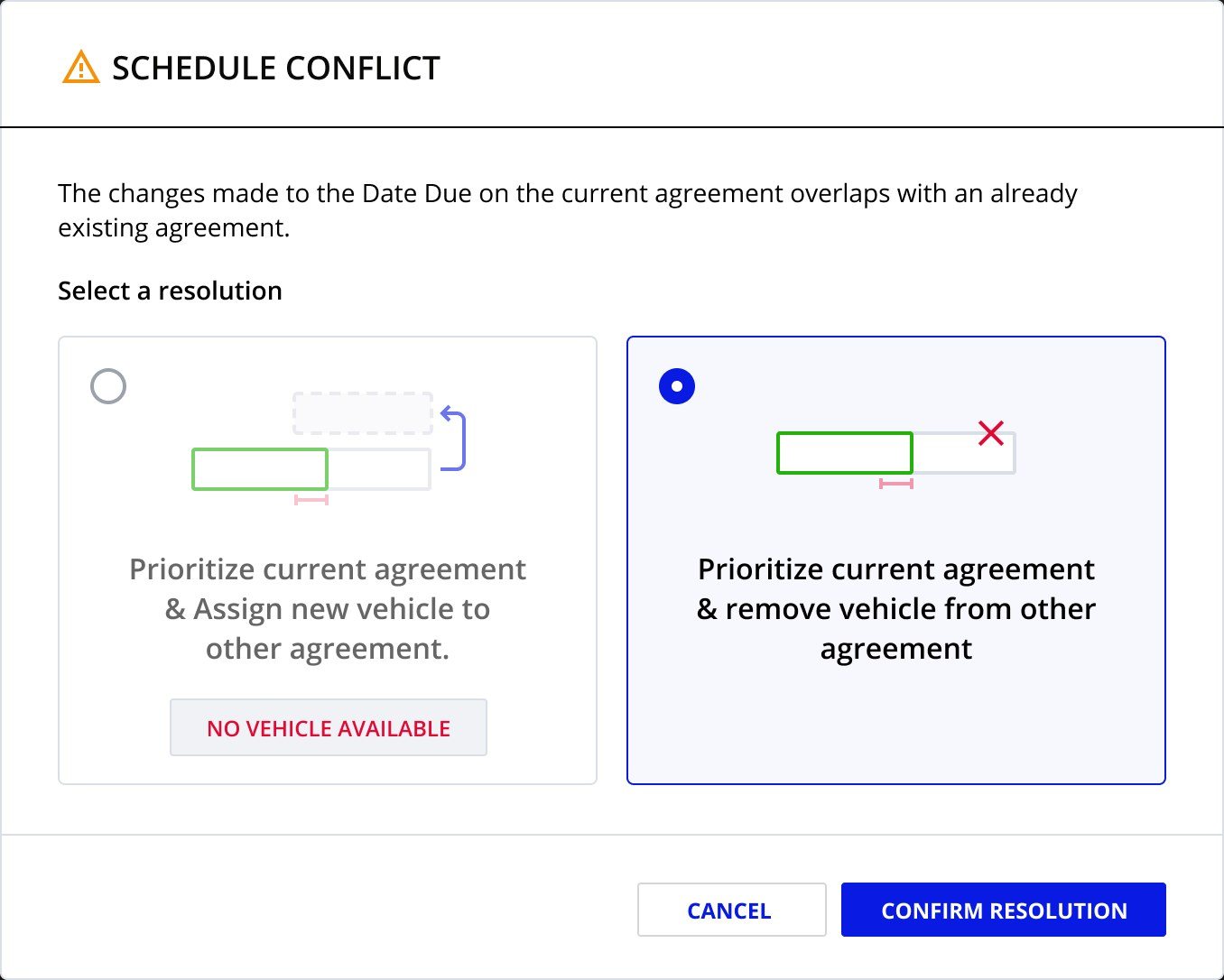
Left, a new agreement checks capacity for the chosen dates. Right, a schedule conflict caught before the booking is saved.

The count still overstated what managers could promise. A car can be on the lot and still not be loanable: it’s being cleaned, it’s low on fuel, the keys are missing, it’s in maintenance. Until the board counted those cars, managers didn’t trust it.
We defined what can block a car and how much it matters. Soft blockers, like needing a clean or low fuel, warn. Hard blockers, like missing keys, a missing vehicle, maintenance or a sale, take the car out of the loanable count.
The rules were written down as one specification, and they apply everywhere availability appears.
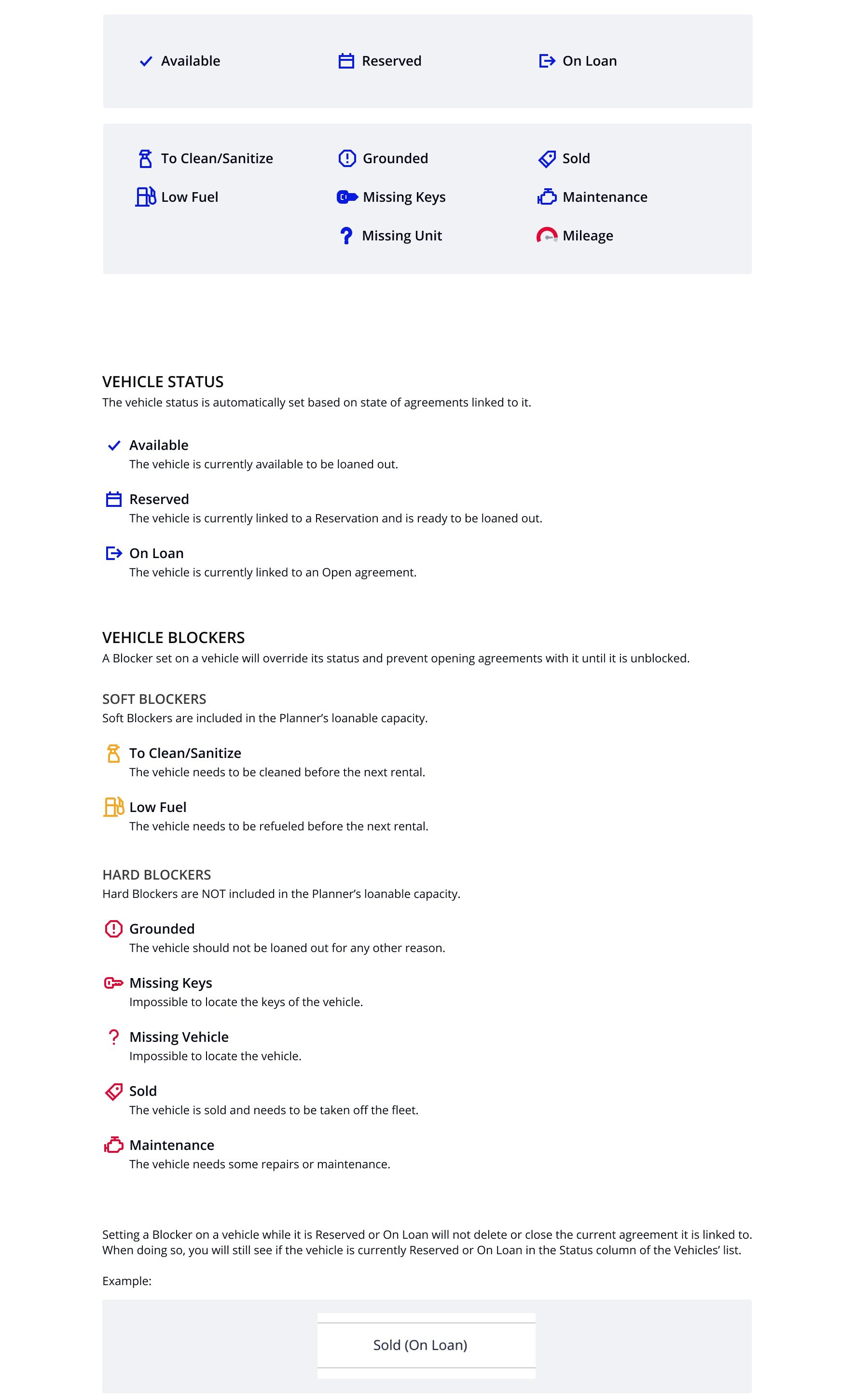
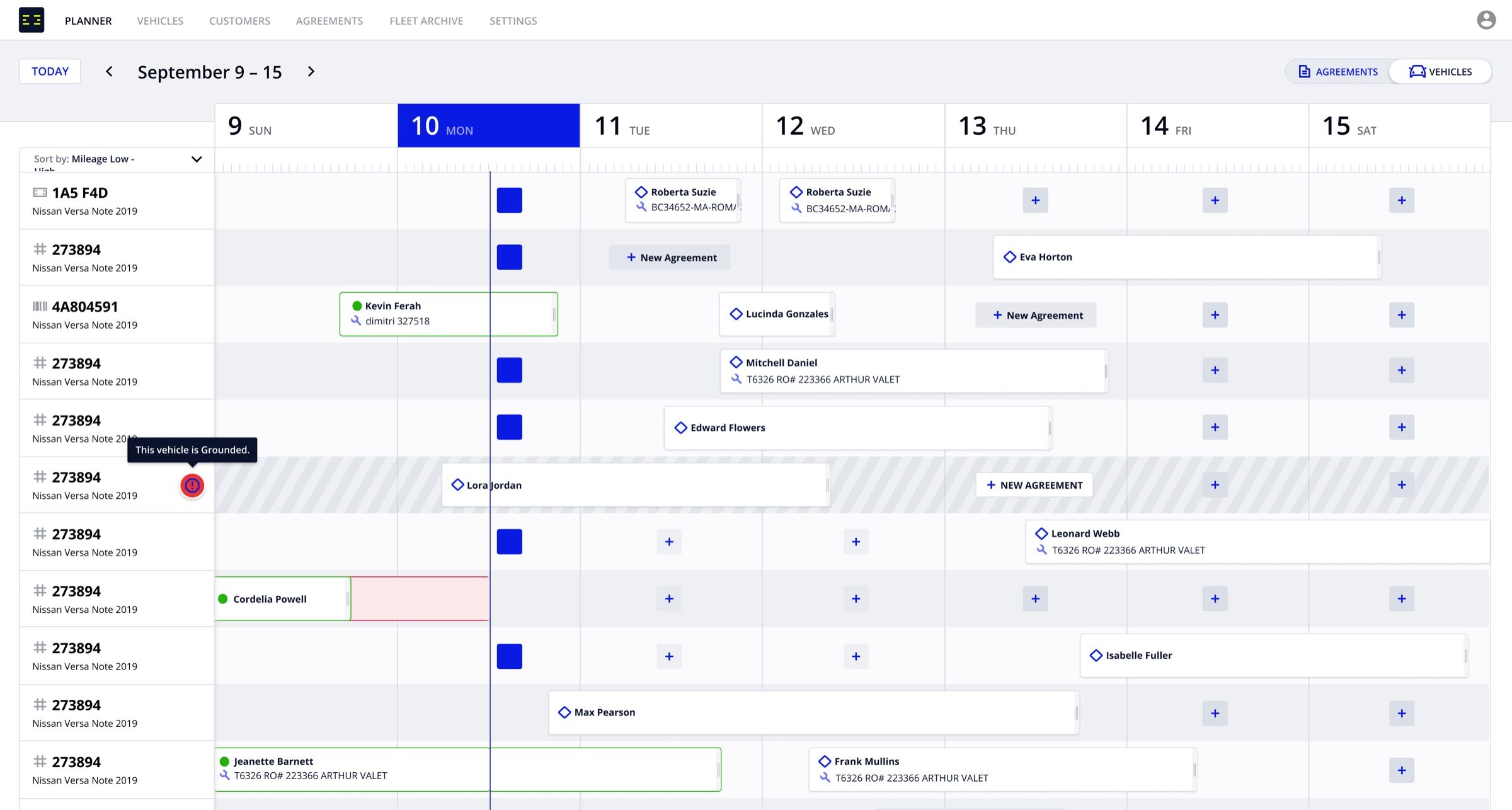
Blocked cars on the vehicle timeline, taken out of the loanable count.
When Fleetlane added valet pickups and shuttle runs, the Planner had to show them too. The second version of the board, designed in 2023, splits each day into rental agreements and trips, so one view still answers what’s going out.
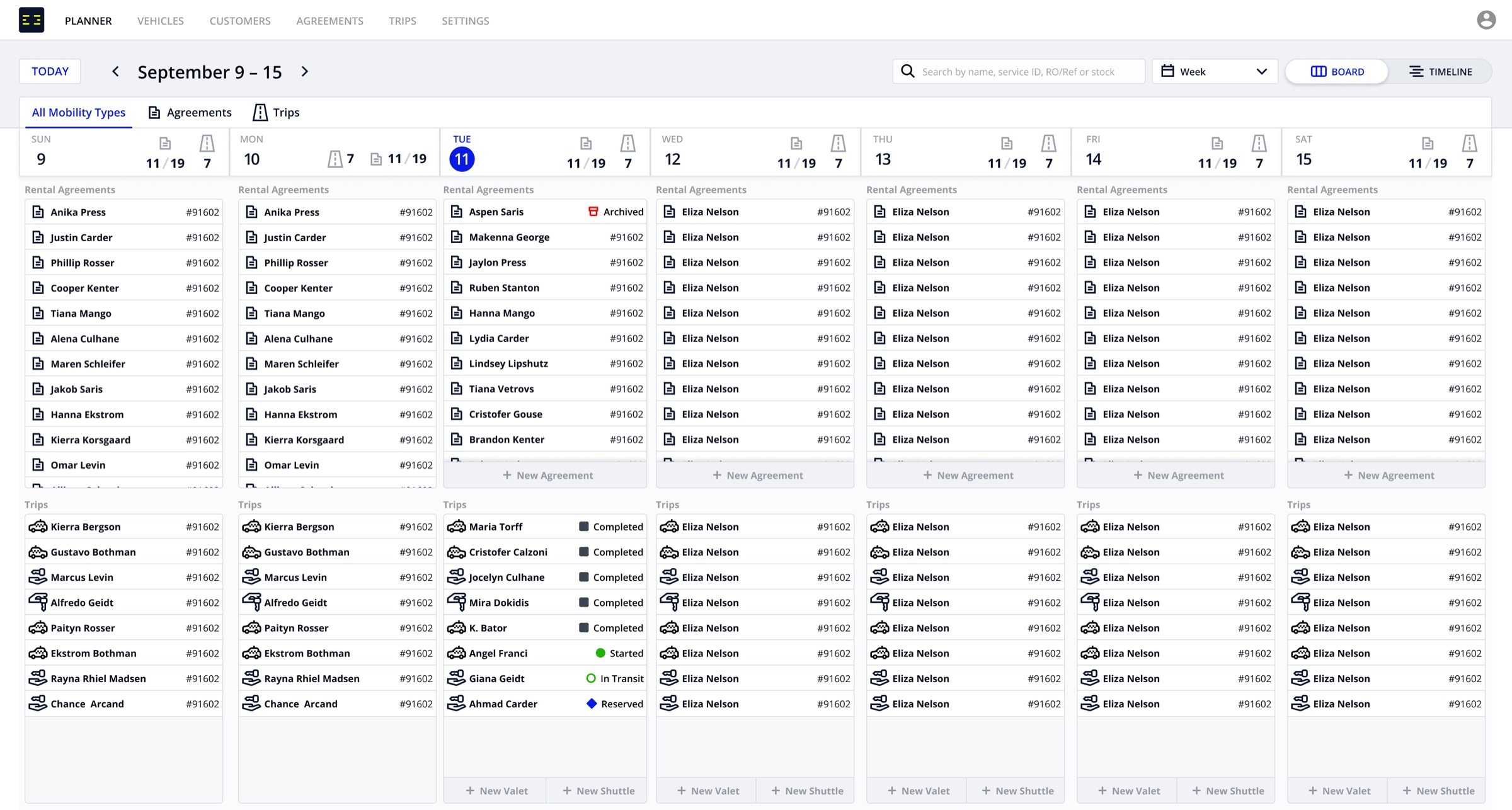
The second version: rental agreements and trips, day by day.
The last step tied the board to the service lane. In spring 2025, service appointments from the dealer’s management system (CDK and SERTI) started appearing on the Planner, with a transportation type and a way to turn one into an agreement.
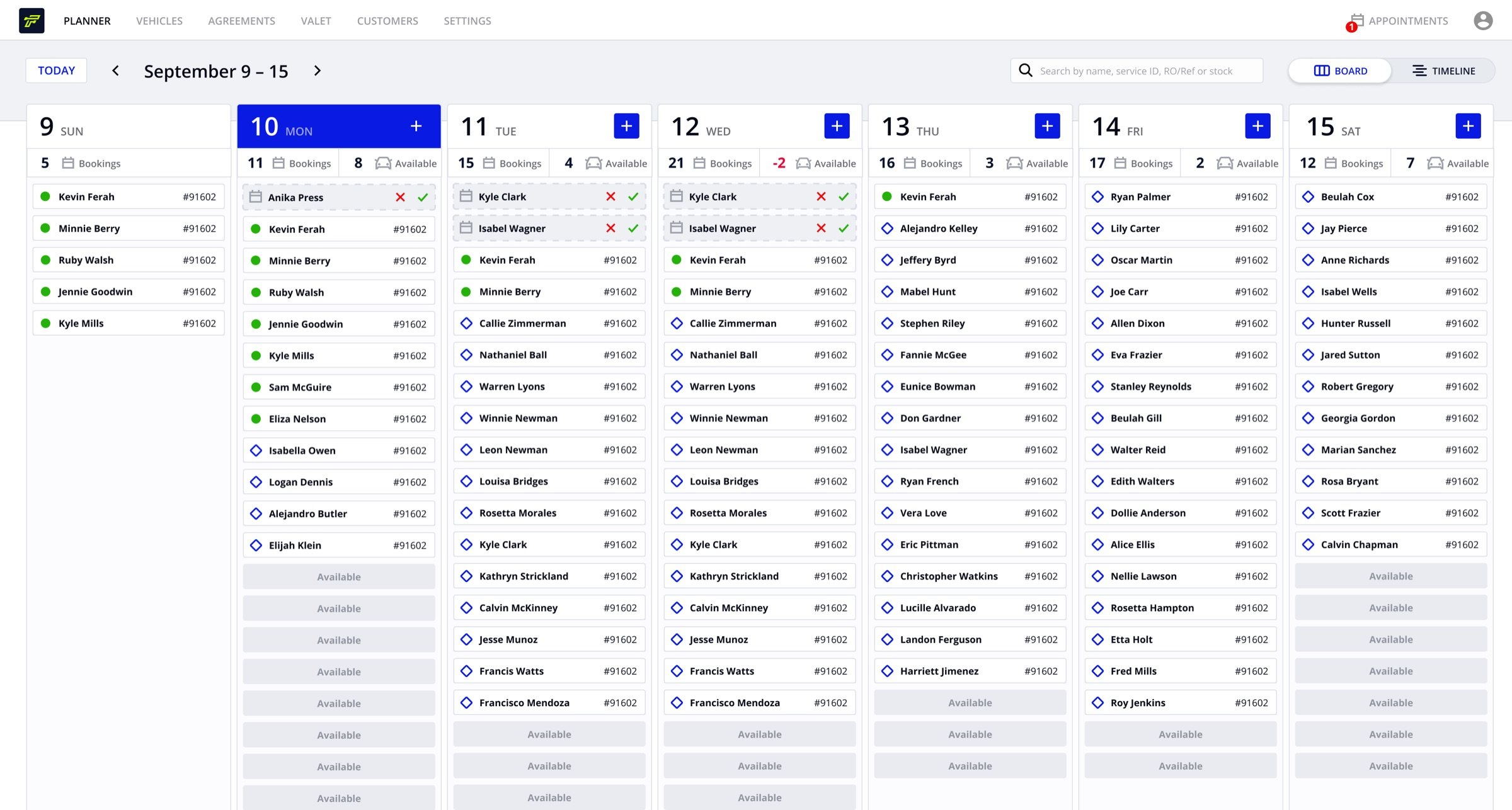
Appointments from the dealer’s system, on the same board, spring 2025.

Both versions of the Planner shipped. It replaced the whiteboard and the spreadsheet as the place managers plan the week, and it grew from one count per day to rental agreements, trips and service appointments on one board.
The idea behind the work
Show what can actually go out.
The number that matters is loanable cars per day, after every booking and every blocked car.

The Planner became the first item in Fleetlane’s navigation.

The blocker rules became one definition of availability shared across the product.

The Planner had its own animation frames for the feature webpage.
It was the first screen sales opened in demos.

Count blocked cars from the start
The board only earned managers’ trust once blockers were counted. I’d have shipped them in the first version.
Credits: Fleetlane’s designers, the engineering team and the sales team.
