I'm Ben! 👋


Role
Founding designer, then product and design manager. Designed AI Insights and the AI Assistant; designed and built the front end of AI Center, the dashboard builder agent and the AI Assistant
Team
BEEM’s design and data teams, and about six engineers in the app repository
Platform
Web app, AI on Amazon Bedrock
Summary
BEEM’s clients run their business on numbers, and they won’t use one they can’t trace. Between 2024 and 2026 I took BEEM’s AI from a chat that answered questions to an assistant that does the work, so people outside the data team could use the platform. It shows its work at every step, and I built much of it.

BEEM’s users are operations leads, finance teams and executives at mid-sized companies in construction, real estate, finance and retail. The people who got the most out of BEEM were the analysts who write SQL every day. Everyone else asked them, exported to Excel, or opened a ticket with BEEM’s data team.
That capped how far BEEM could spread inside a client. The company set out to move the product toward business users, so more teams in each company would use it. The AI work in this story is where that shift started. Two things kept coming back in client interviews, onboarding calls and support tickets.
People compared our numbers with their own spreadsheets before using them. These teams had been burned by a wrong revenue figure before, and they distrusted any number they couldn’t trace.
A question about their own data went through an analyst, a consultant or BEEM’s data team. Support tickets asked for one-line changes people could have made themselves.

When we added conversational analytics on Amazon Bedrock in 2024, the easy version was a chat box: type a question, get a number. For people who check every number, a number from a black box is worth nothing. I pushed for the other way.
Each answer shows how the question was read, then the result, then the SQL behind it. A workspace picks which datasets the AI can read, and a good answer becomes a reusable dataset in one click. AI Insights shipped to every client.
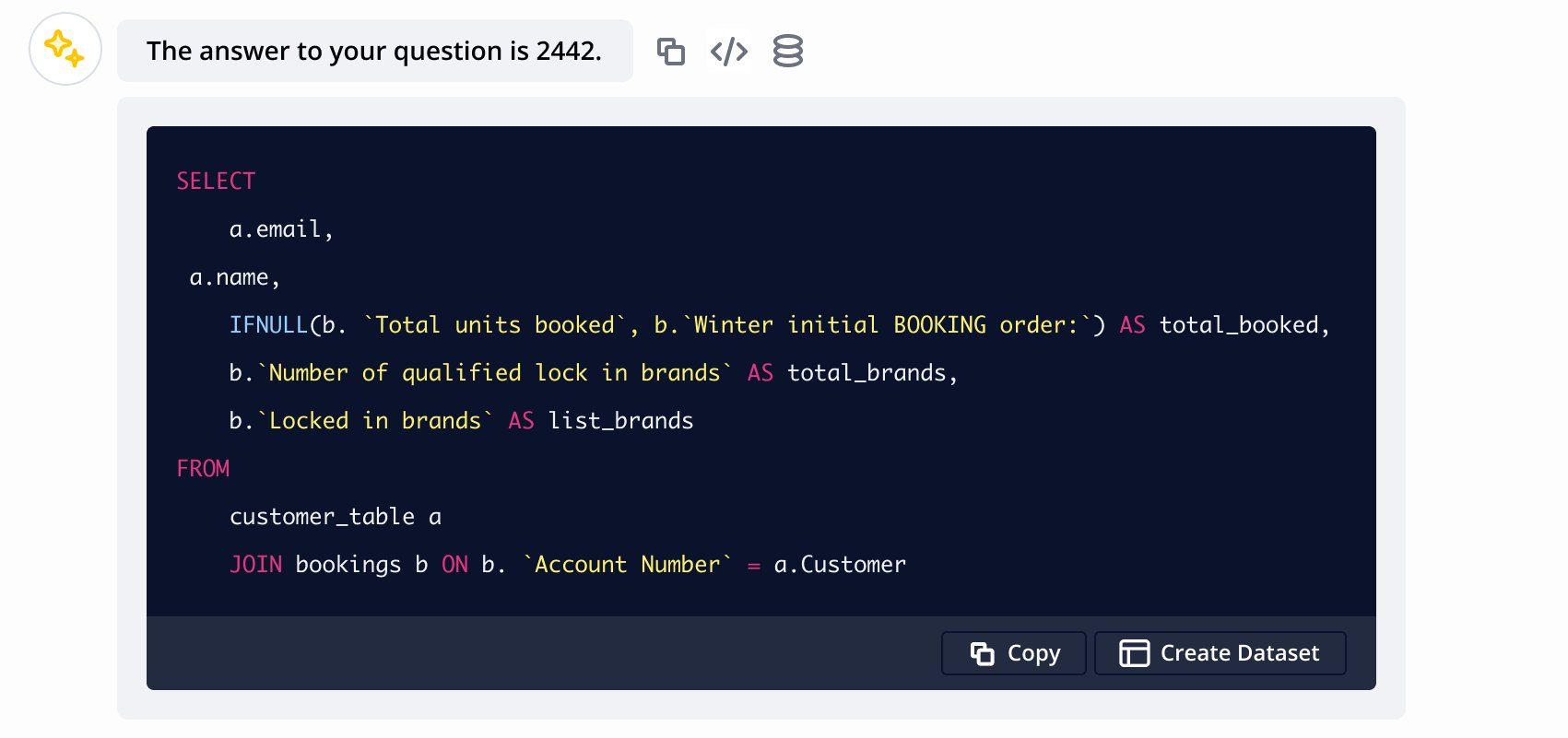
AI Insights in 2024: the answer, the SQL behind it, and Create Dataset to keep it. From the July 2024 design file.
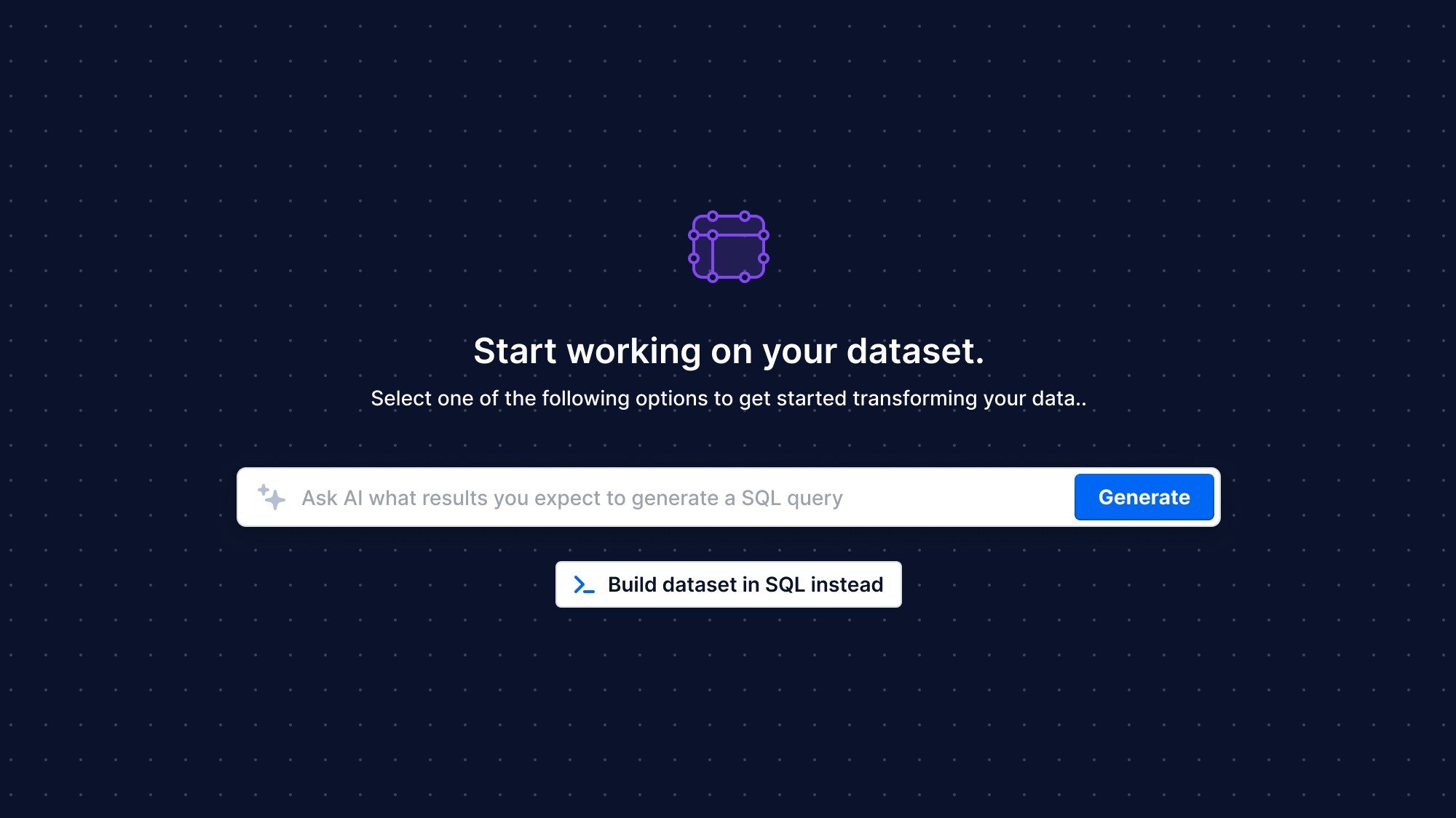
The same idea in the editor. In 2025 it reached the dataset editor. People who write SQL keep a real editor. Everyone else describes the result they expect, and the AI writes SQL they can read and edit.
But AI Insights could only answer. Every insight ended inside the chat. Turning it into a dashboard, a report or a fix was still someone’s manual work.

In 2026 BEEM built an MCP server and API endpoints over the platform. Through them, the AI could do what a user does: create dashboards and reports, analyze data, connect systems.
That changed the design problem. An AI that answers has to show its reasoning. An AI that acts also has to show what it changed, and leave a person in charge of what goes live. Before the Assistant, I worked that out on two smaller pieces.
Generic answers read like generic answers. AI Center, shipped in May 2026, lets a company describe who it is, the words it uses and its branding, and the AI works from that. I designed it and built the organization context feature behind it.
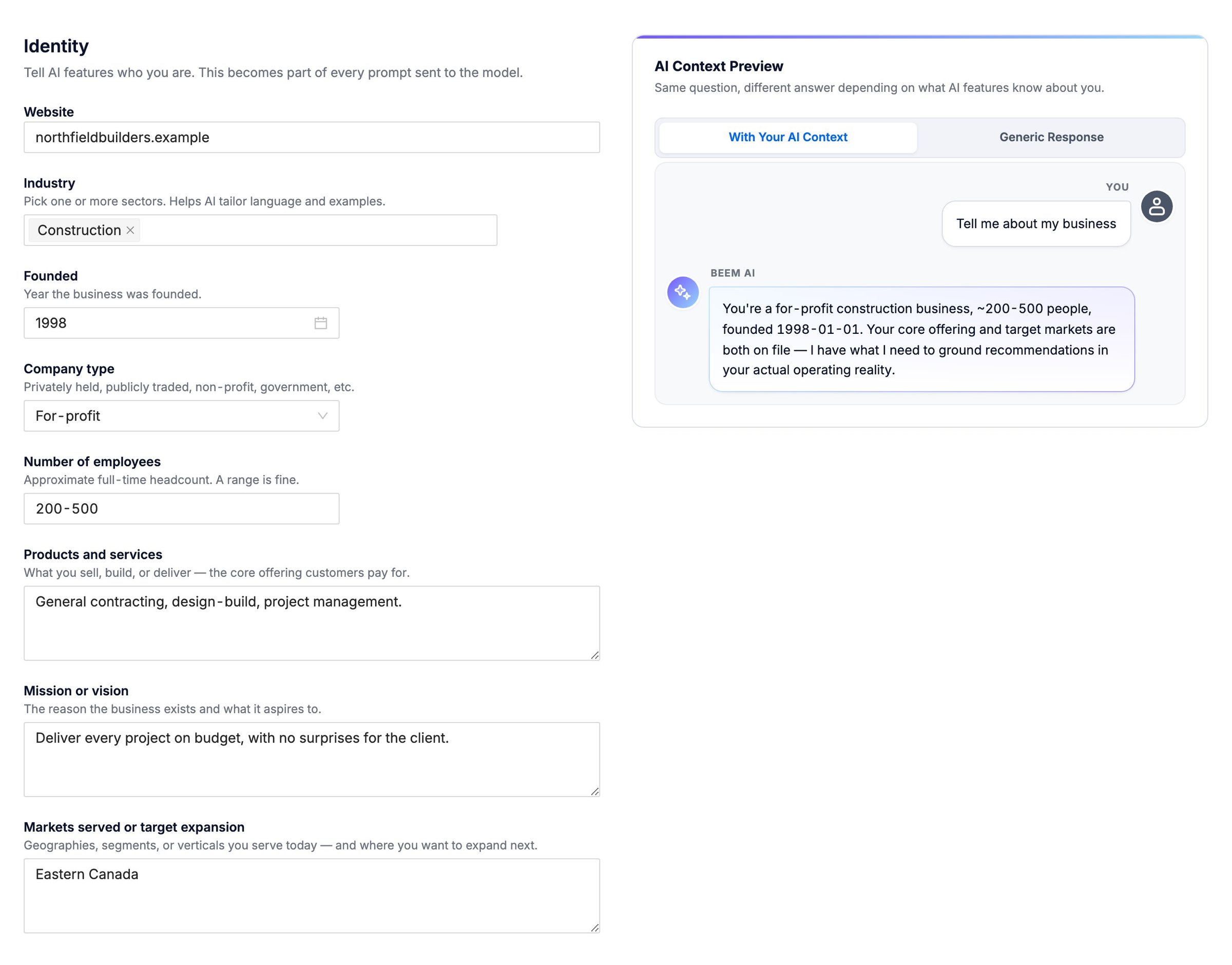
AI Center, May 2026: a company describes itself, and the preview shows the same question answered with that context. Shown with a sample company.
The dashboard builder agent turns a request into a working dashboard. I designed it and wrote most of its code between May and June 2026, about 140 commits. It is where the rules for an AI that acts were set.
Every number can be traced. Each card has an info icon that opens the datasets behind it.
Changes are versions. Selecting cards limits a change to those cards, and every change is a new version you publish when you’re happy with it. Nothing the AI does reaches viewers until a person says so.
A second pass checks the design. A separate AI pass reviews each dashboard against a visual-quality rubric I wrote, and may only patch what it flagged. Early on it could publish its own edits and lose a person’s work; I changed it so it never publishes.
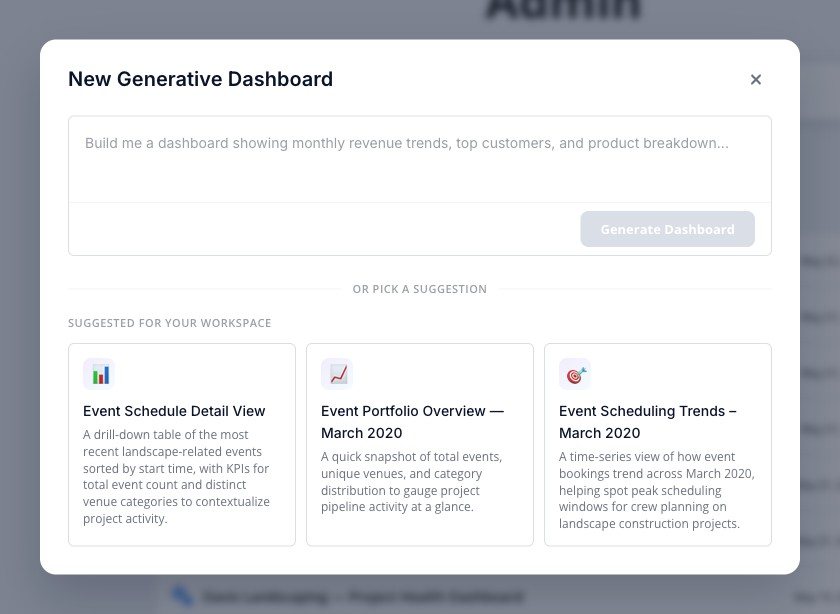
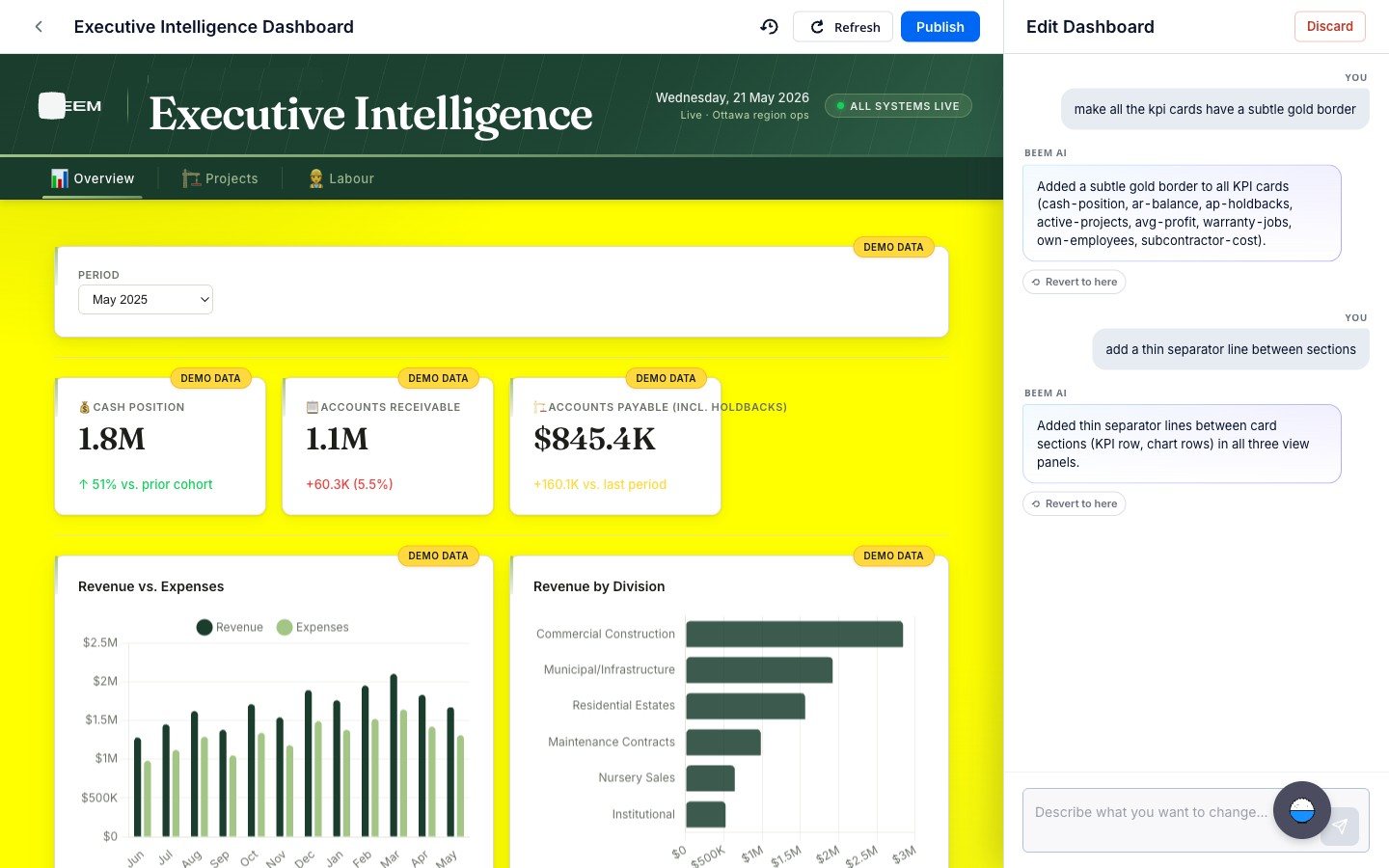
Left, describe the dashboard or start from a suggestion based on the workspace’s data. Right, edit it by conversation: each change can be reverted, and nothing reaches viewers until someone publishes. A development build from May 2026, on demo data.
People can attach images, PDFs or spreadsheets as a reference. AI dashboards have sat in the Dashboard list next to hand-built ones since August 2026.

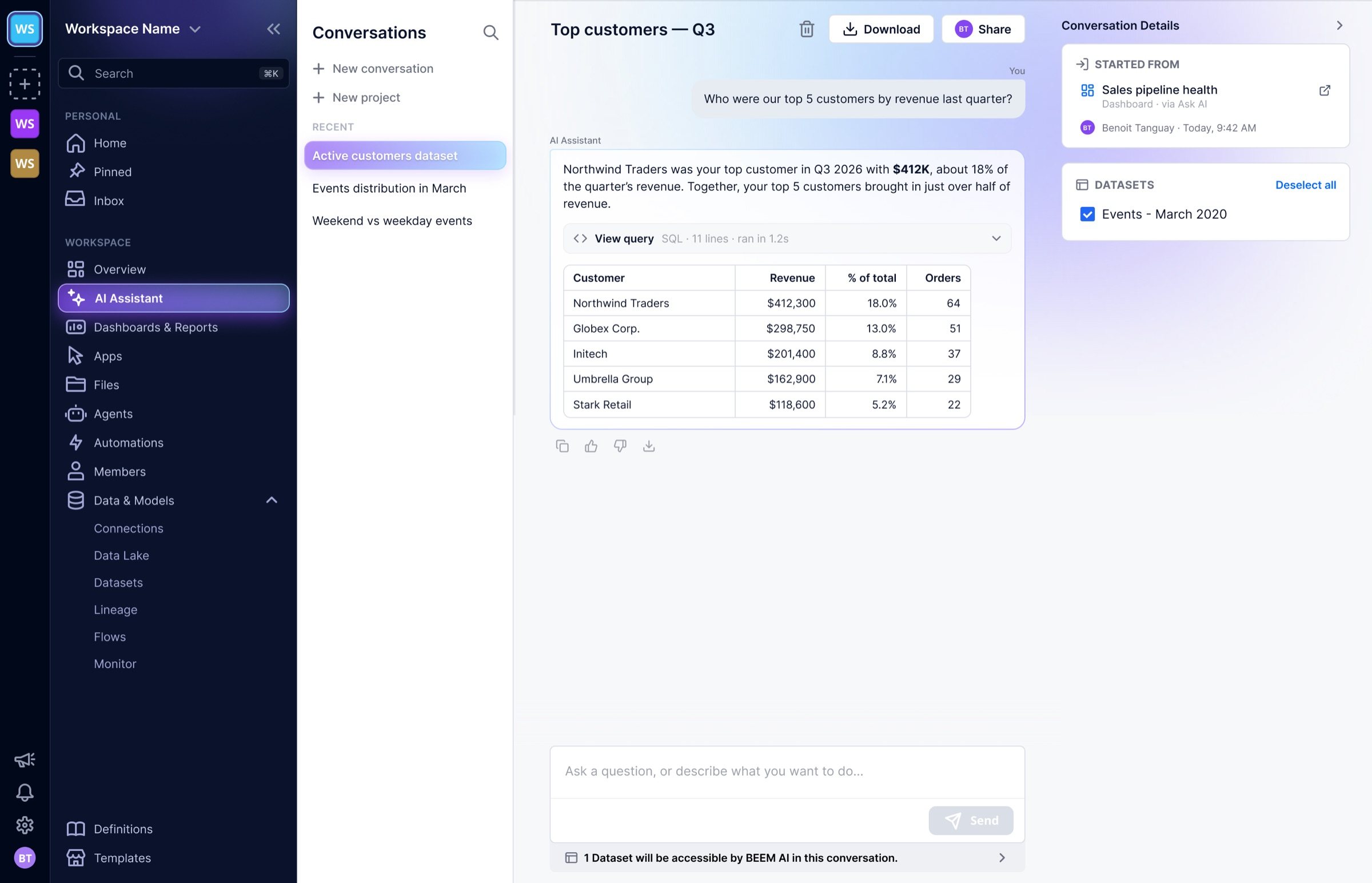
With the platform open to the AI, AI Insights needed a new front door. I wrote the redesign spec in July 2026. It was the first feature redesign in BEEM’s move from technical users to business users, meant to bring the platform to more teams in each client company.
I built most of the new interface: a conversation history, a home screen with suggestions drawn from the workspace’s own data, and the disclaimer moved into quiet footer copy so the answer leads. The SQL folds under View query, one click away for anyone who wants to check it.
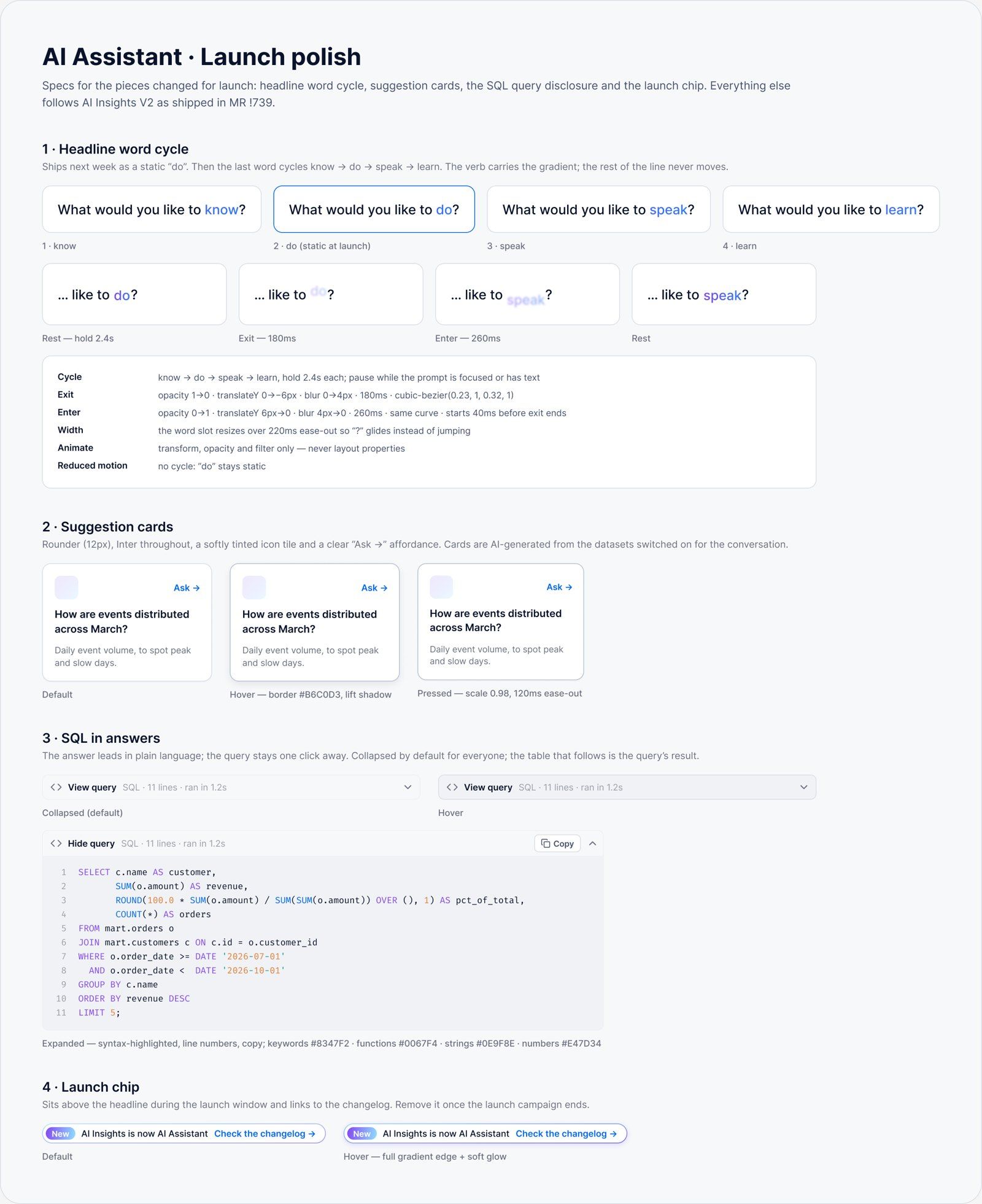
Part of the launch spec I wrote: the headline, suggestion cards, the SQL disclosure and the launch chip.
It shipped in October 2026 as the AI Assistant. It shows its thinking as it works, and it can build a dashboard, create and deploy a dataset, add a test, or propose a fix for a dataset that failed. The dashboard builder runs inside it.
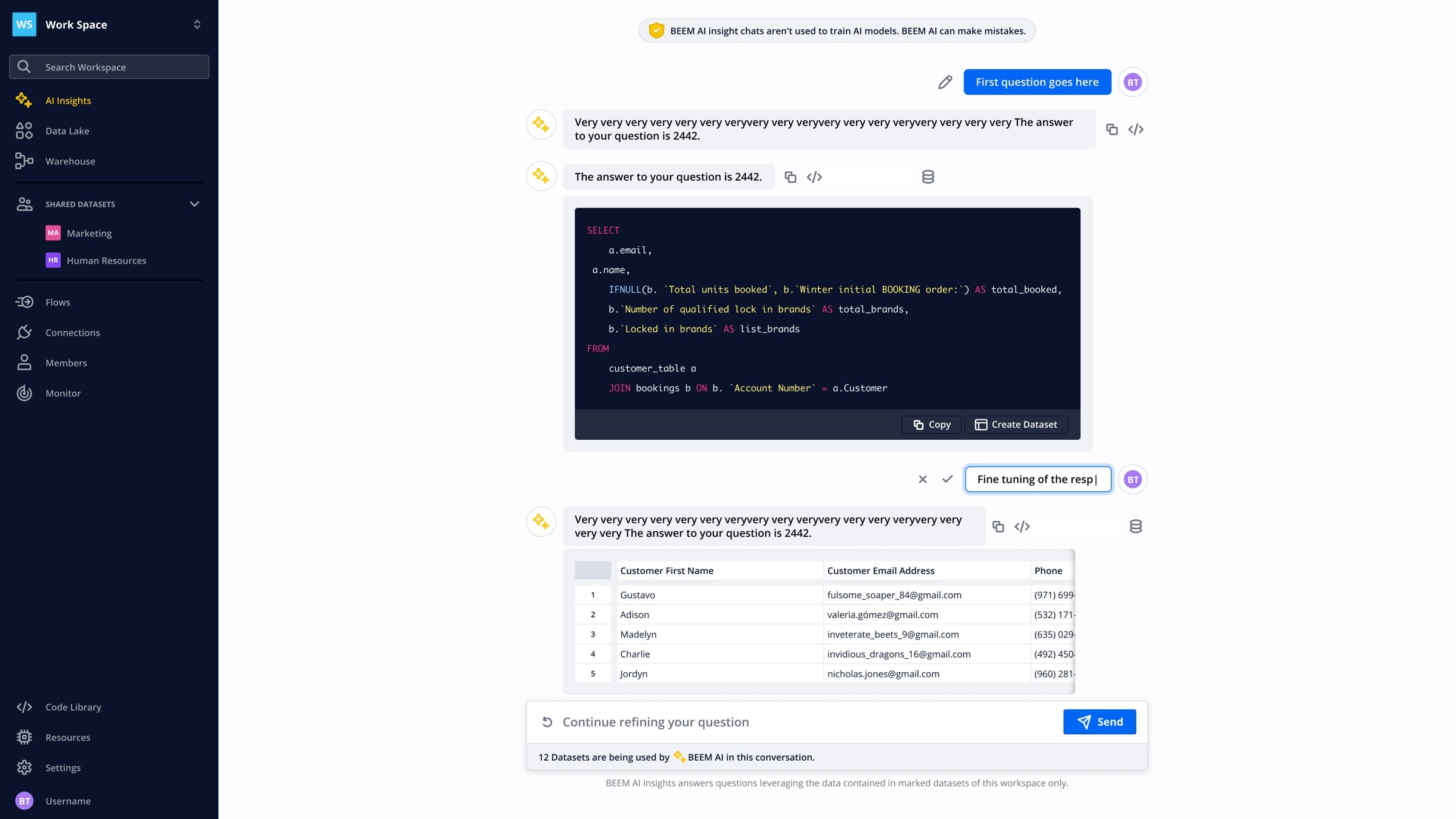
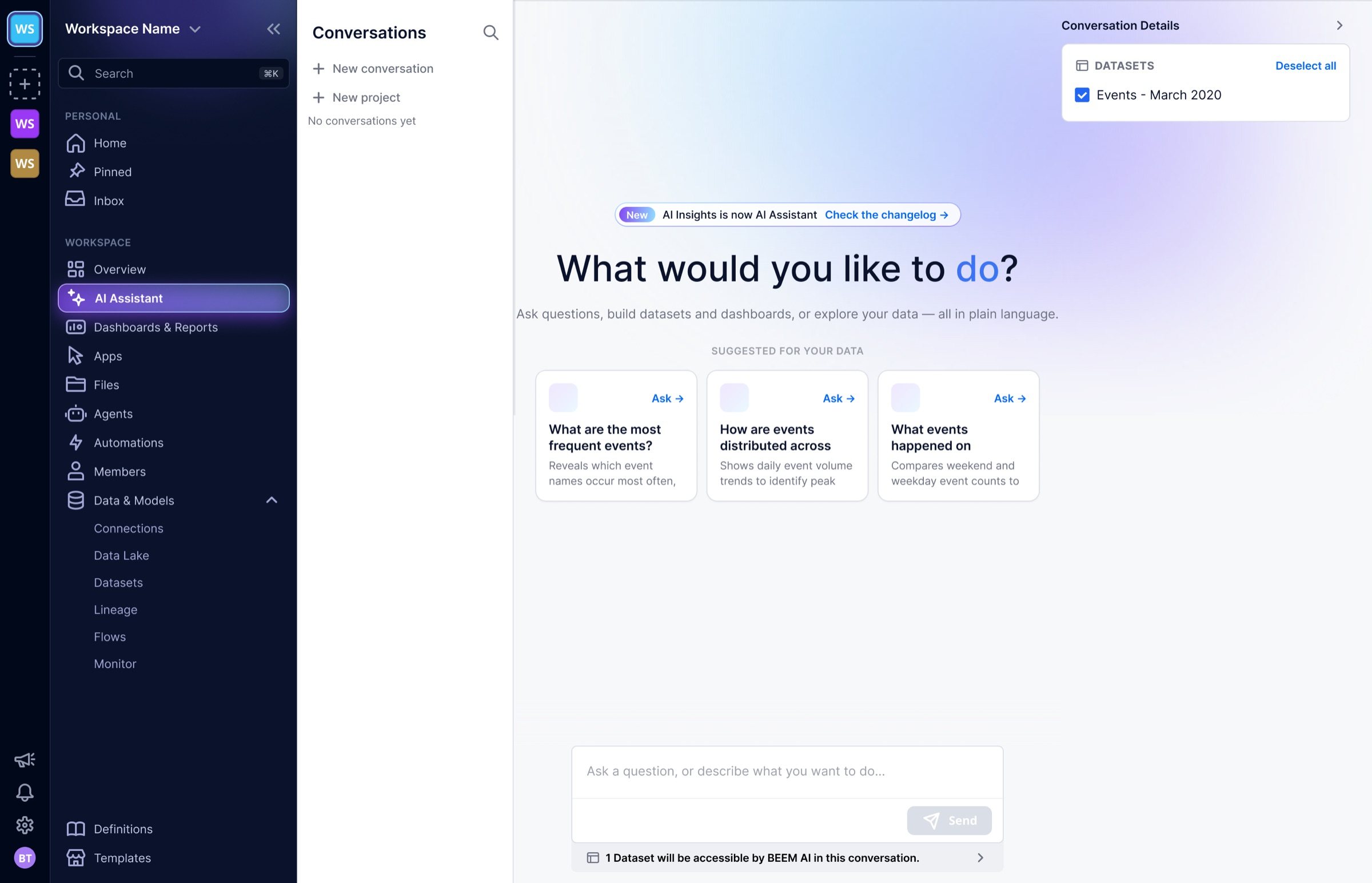
Before and after. Left, AI Insights in 2025, with the SQL up front. Right, the AI Assistant’s home.
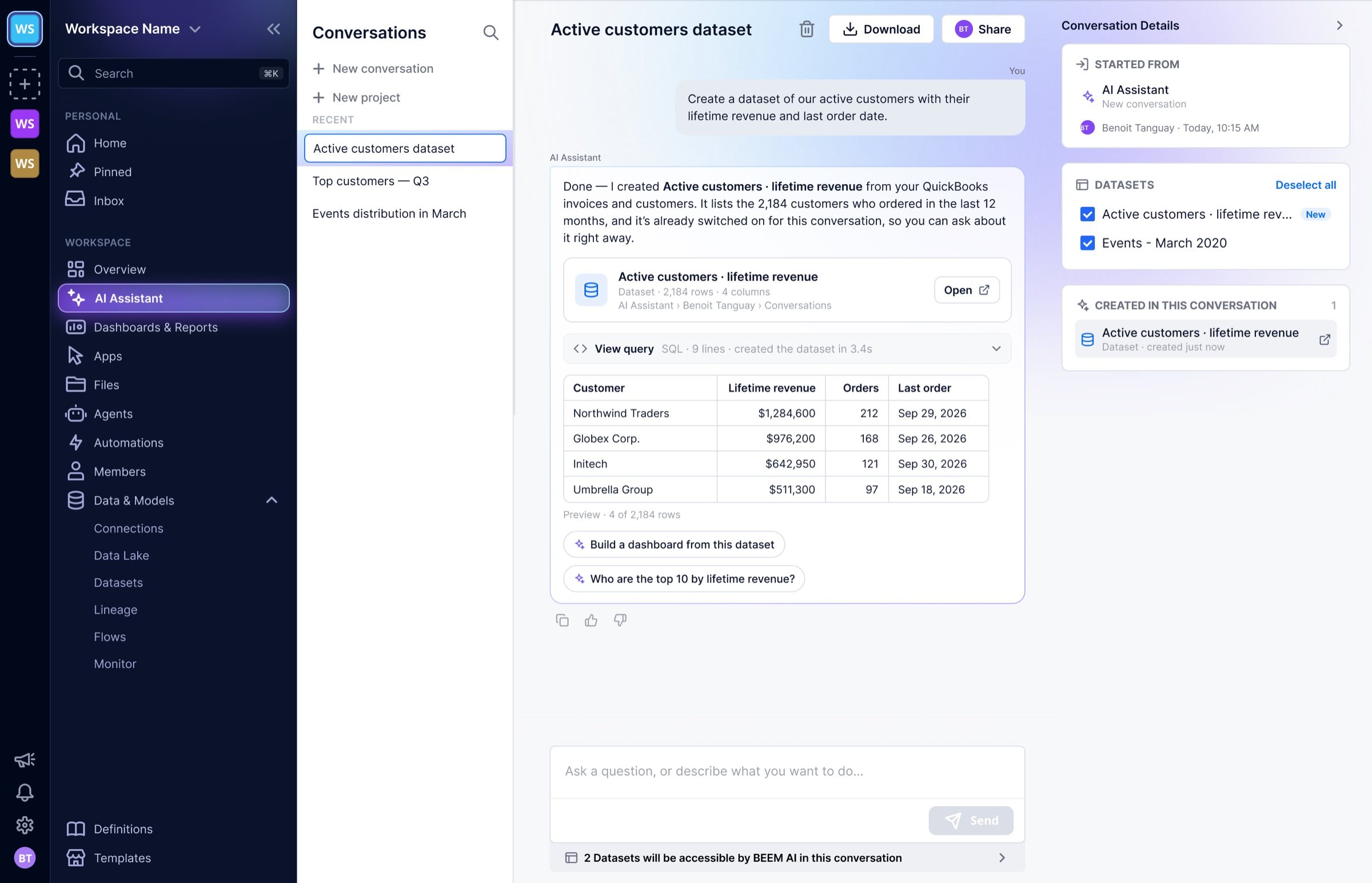
An answer turned into a dataset, filed under AI Assistant in the Hub.

AI Insights has been live for every client since 2024. Since October 2026 the same AI does the work it used to describe: a person asks, the Assistant builds, and every step it takes can be checked and undone before it counts.
The idea behind the work
Show the work.
Every number says where it came from, every change can be previewed before it counts, and anything the AI builds stays a person’s to review before it goes live.

I pushed for answers that show interpretation, sources and SQL over a plain chat reply.
AI Insights shipped that way to every client.

I wrote design specs and implementation plans in the repository (52 docs commits in 2026), then built from them.
An engineer reviewed each plan, then each merge request.
I manage the product designers and set up the design rituals the team runs on.
Credits: BEEM’s engineering, data and design teams.