I'm Ben! 👋


Role
Product and design manager
Team
BEEM’s dev team, two product designers on my team, and the departments that adopted skills: data services, marketing, sales and support
Tools
Claude Code, the BEEM app codebase, a shared skills marketplace
Summary
In early 2026 BEEM’s roadmap had more AI features than the dev team had hands, and AI could now write code, decks and help articles for anyone. It just didn’t know how BEEM is built or how it sounds. I wrote that down as Claude skills, used them to ship the interfaces I designed up to a new navigation for the whole product, and helped each department write their own.
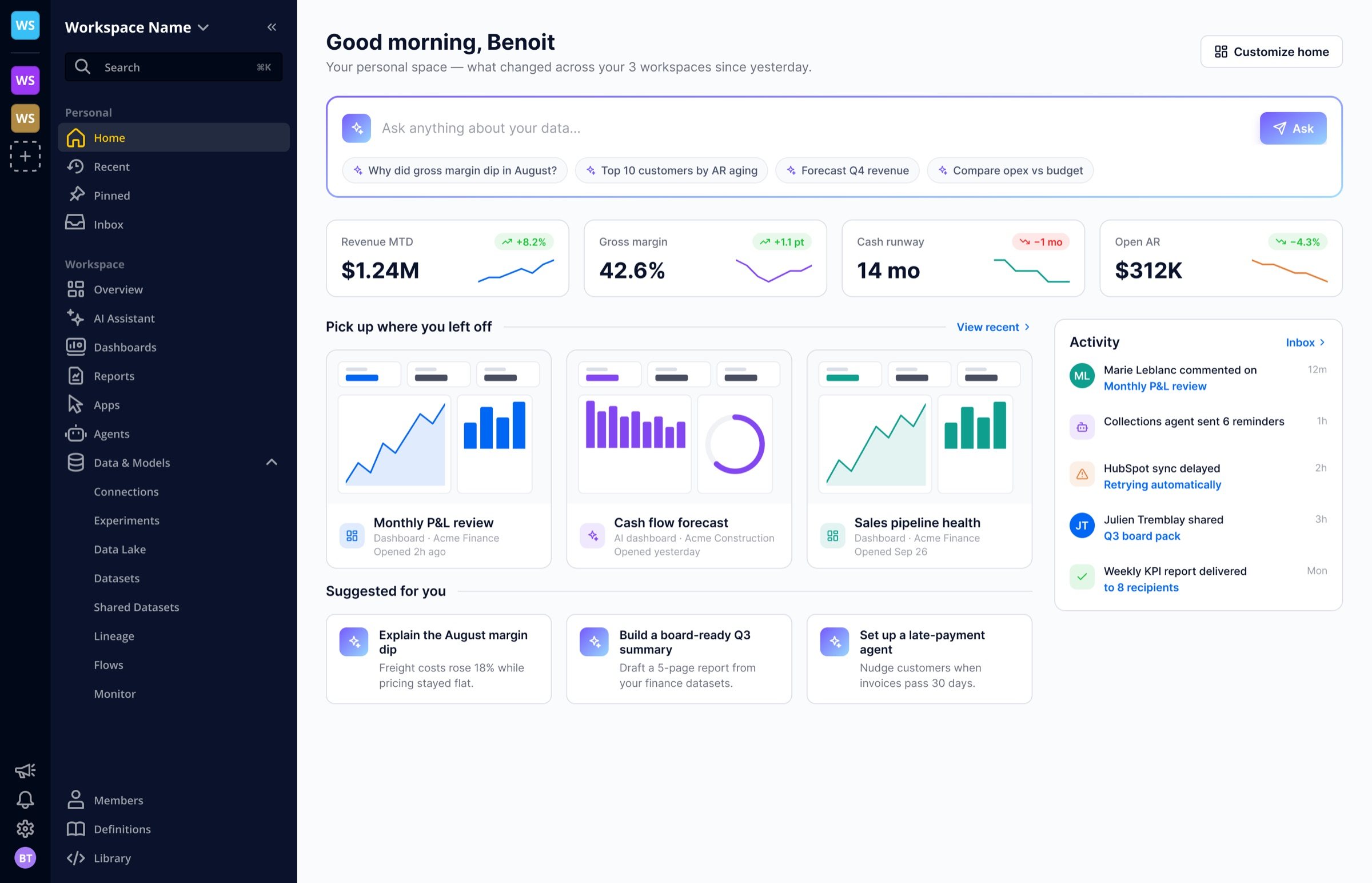

By the start of 2026 the roadmap was full of AI work: a dashboard builder, a better assistant, and a navigation that could hold it all. I had always prototyped in code and had shipped front-end changes to the dashboard builder before. With Claude Code, the gap between a design I’d specified and a change I could ship myself got small enough to act on.
The same shift was happening across the company. Other departments were starting to use AI to produce decks, documents and analyses, each in their own way, and the results rarely looked or sounded like BEEM.
A pull request from a designer is only useful if engineers can review it like any other, which means it has to follow their patterns exactly. AI coding tools happily invent new patterns, and every invention costs a reviewer time.
The same held for everything else AI produced at BEEM. Out of the box, it didn’t know our brand, our product or our voice.
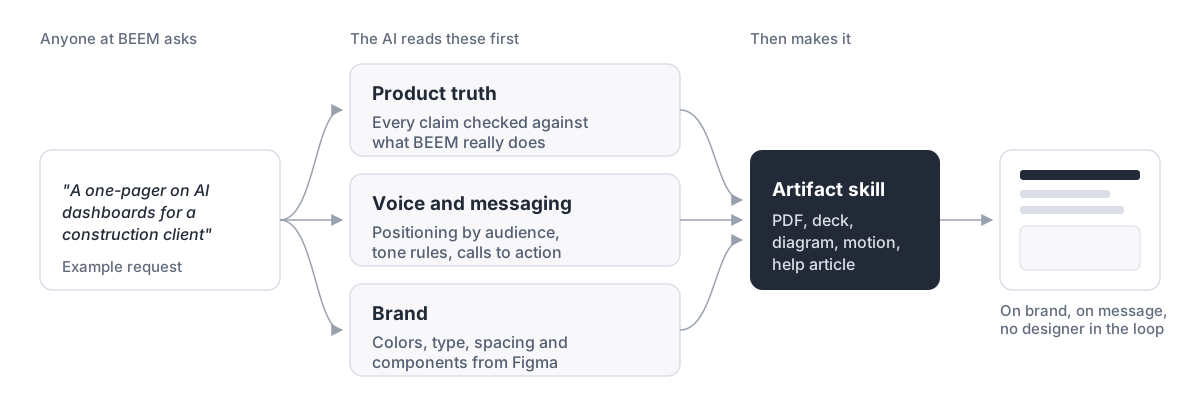
Both problems had the same fix: write the knowledge down once, where the AI reads it before it writes anything.

I started a skills repository in January 2026, with the knowledge every other skill would lean on. By April it held 30 skills and 167 commits.
Colors, typography, spacing, gradients and component styles taken from the Figma design system.
Positioning, messaging by audience, tone rules and calls to action.
What BEEM does and doesn’t do, checked before any claim goes into a deck, an article or an ad.
Branded PDFs, solution presentations, diagrams, motion, and help center articles.
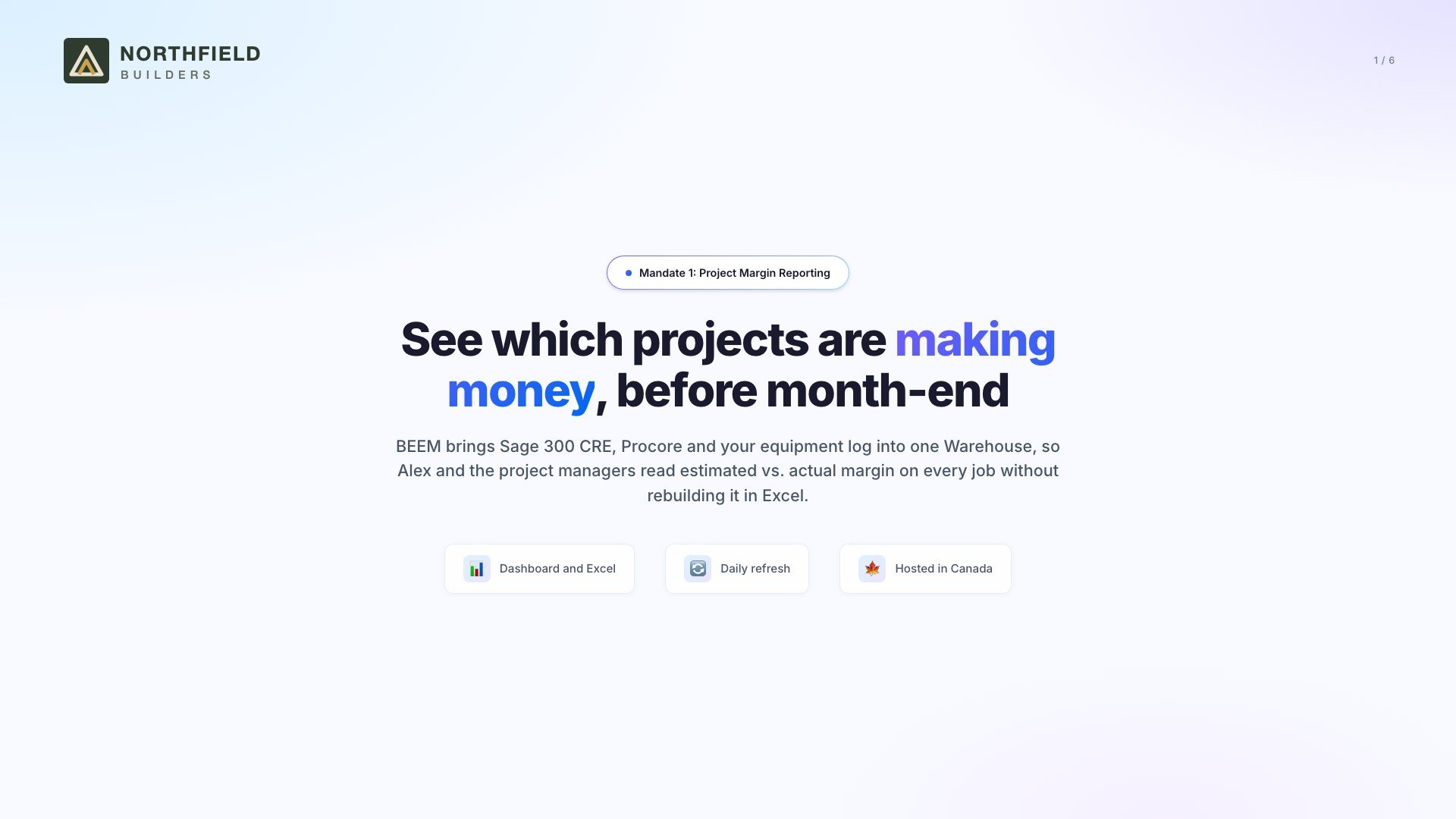
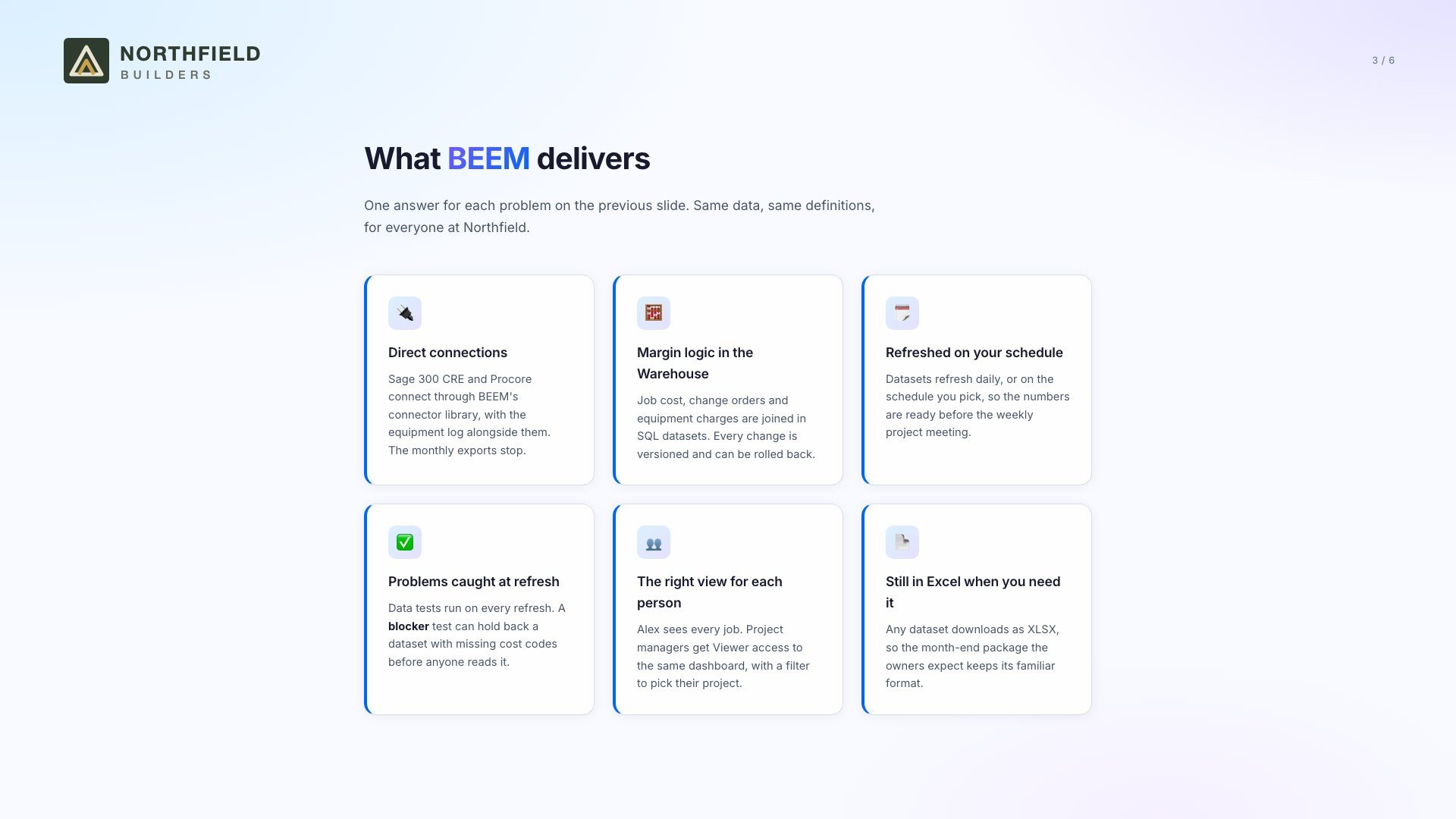
A solution presentation, as sales would make one after a discovery call. Made with the skills on a sample company; the teams’ own work carries customer data.
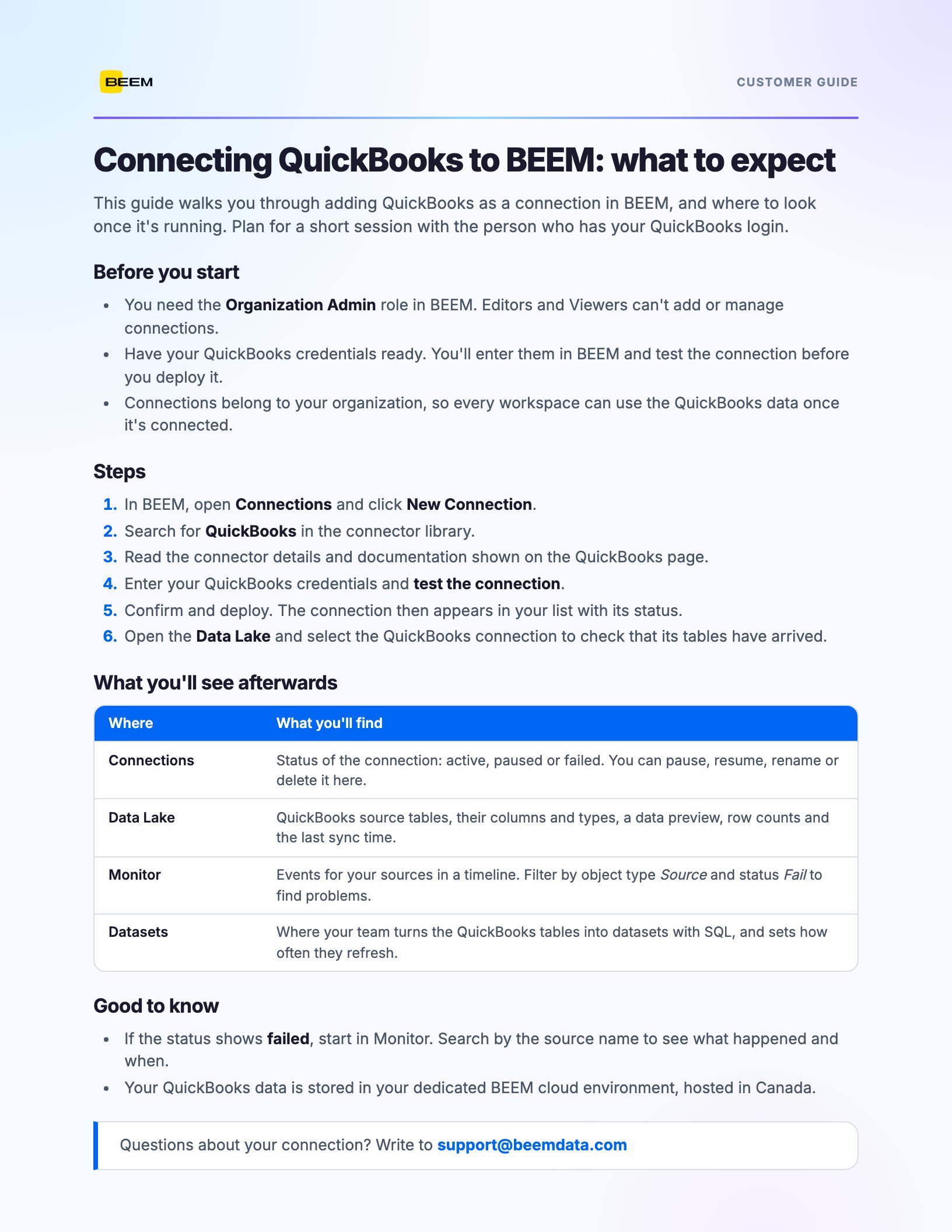
A one-page guide support can hand a customer, made with the same skills on a sample company.

In March 2026 I wrote a skill that describes how the BEEM front end is built: where files go, how state and data calls are structured, and how styling uses the theme’s tokens. Its most important rule is to stop and ask before introducing any new pattern.
My first change, per-dashboard settings that same month, went through review like any engineer’s. The comments were about where code belonged and how it called the data layer, which is exactly what the skill now covers. I also wrote design specs and implementation plans in the repository before building, so the team could challenge a plan before reviewing its code.
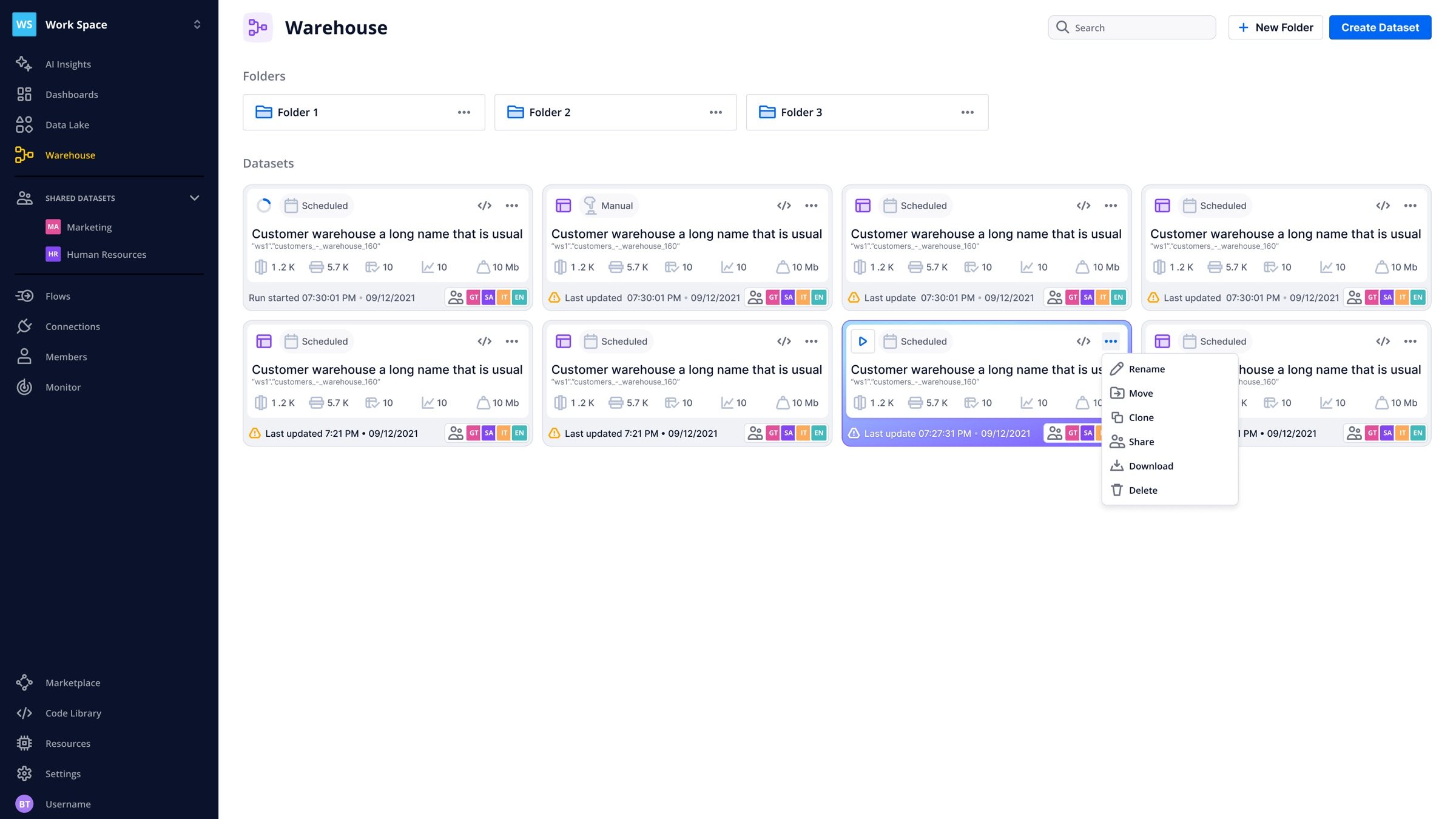
From March to October I shipped AI Center, the dashboard builder agent and the AI Assistant’s interface (told in the AI case study), a REST API connector wizard released in 2609, run status on dataset cards, and polish across the app: 188 of my commits are fixes.
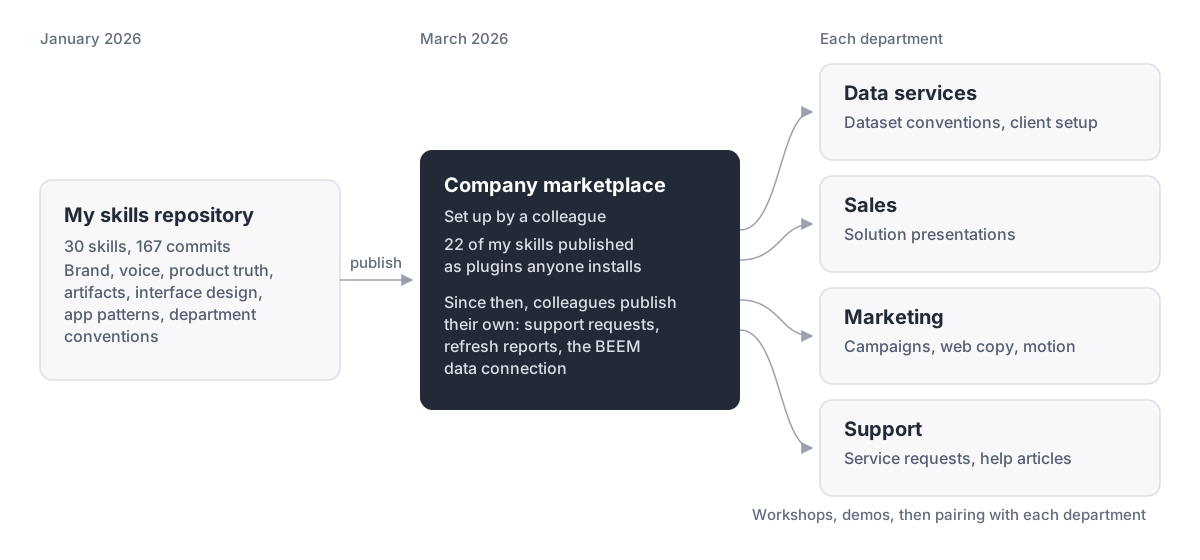
In March a colleague set up a company marketplace for skills, and I published 22 of mine to it as plugins anyone can install.
What moved the skills from my repository into the company was time with each team: a company-wide demo, then pairing sessions with four departments to write their skills with them. Department skills now cover the data team’s conventions, adding sources, service requests and Power BI work. Other people have since published their own, for support requests, dataset refresh reports and the BEEM data connection.
I also documented where AI agents went wrong when working with BEEM’s data, like fixing problems in the wrong layer or skipping tests, and how the tools should change.

The largest change I shipped was a new navigation for the whole product. For four years BEEM’s sidebar followed the data pipeline: Data Lake, Warehouse, Flows, Dashboards. AI Insights sat at the top because it was new; Marketplace and Code Library sat at the bottom because there was nowhere else for them. Settings was one long page of tabs, and switching workspace meant opening a menu.
The idea. The workspace is the unit people think in, so it should be visible and recognizable at all times. Everything a member uses daily stays in the sidebar; organization and workspace settings move behind the workspace name and the profile, where admins expect them.
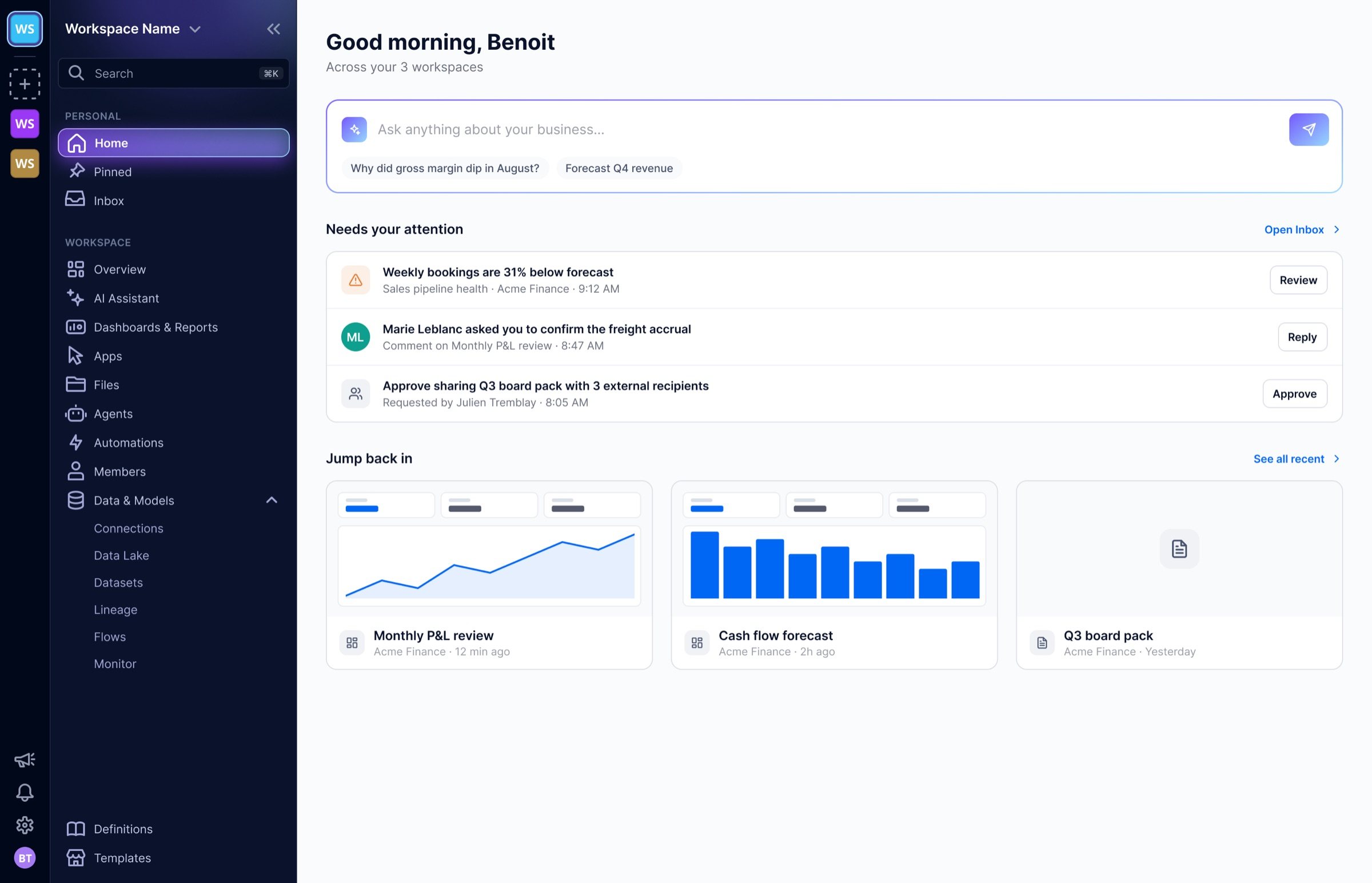
Left, the 2025 sidebar. Right, the second pass, where every section explains itself to a new account.
Design. We mapped the sidebar in two passes, then explored eight visual directions, light and dark. The chosen one kept BEEM’s navy and reserved a violet-to-cyan glow for the selected row, the same gradient the product uses for AI. A changelog on the canvas recorded each decision and its reason. I drew the first passes and the chosen direction; two designers on my team explored the visual variations. Reviews included both designers, the CTO and the support lead.
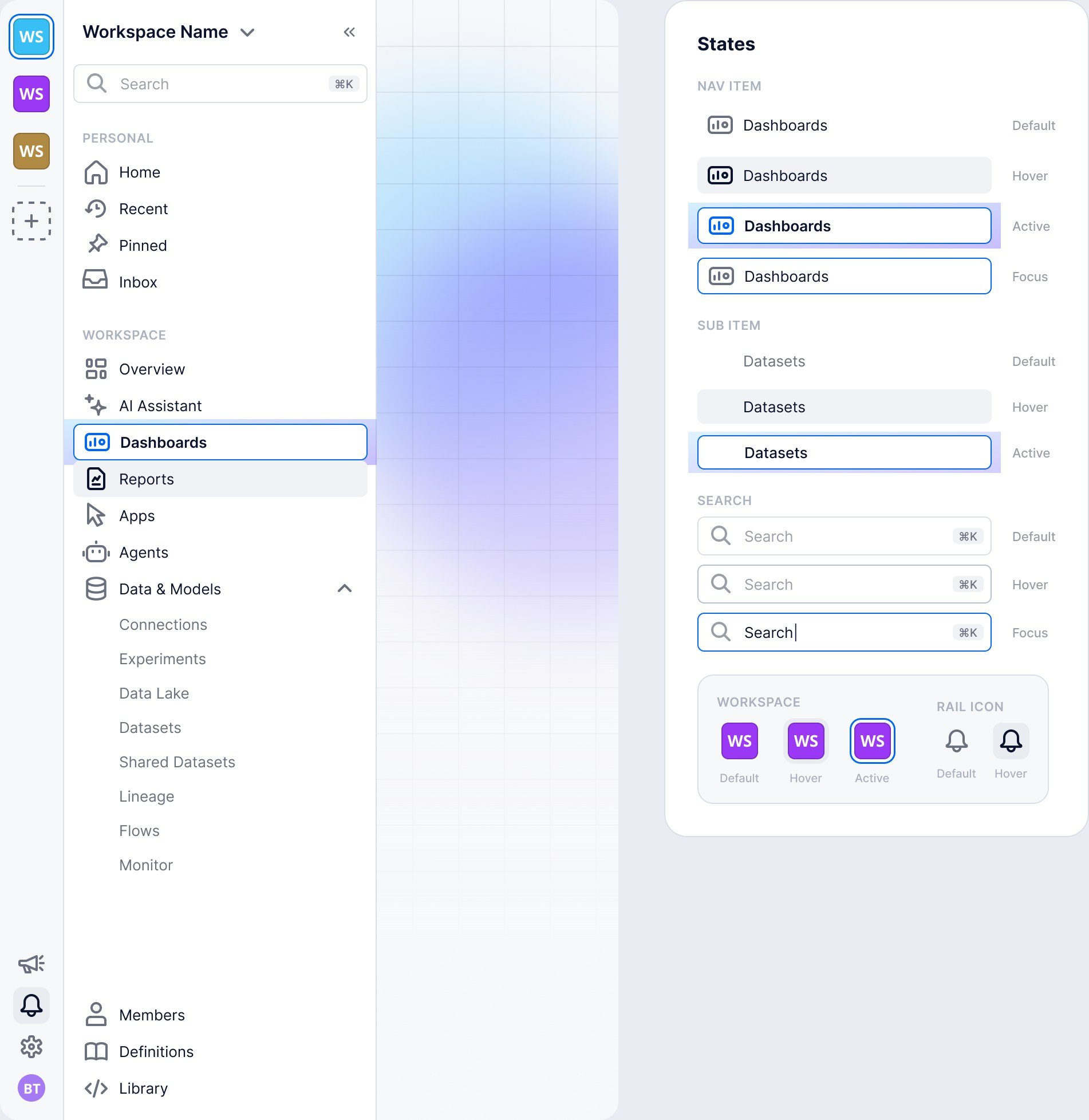
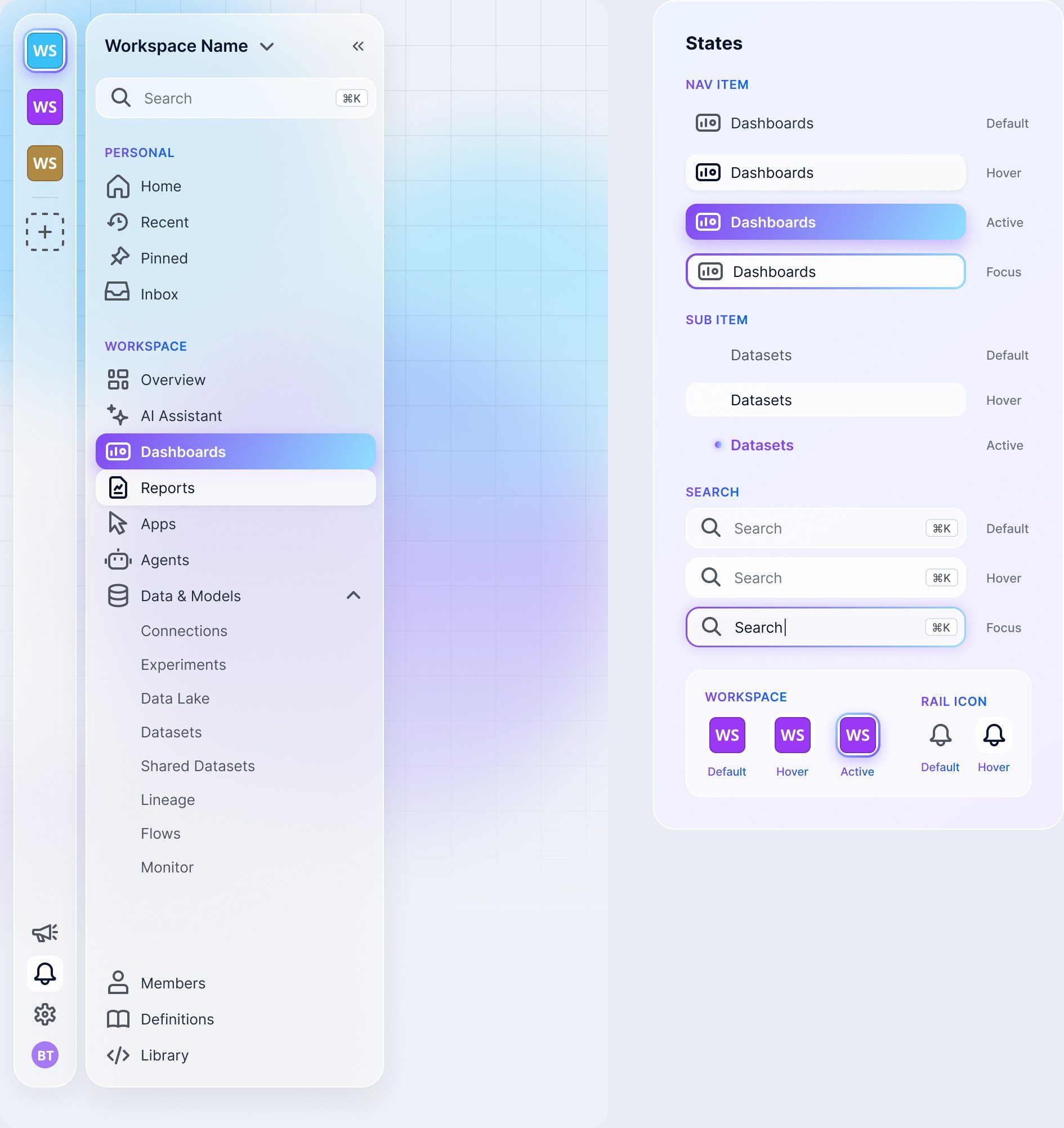
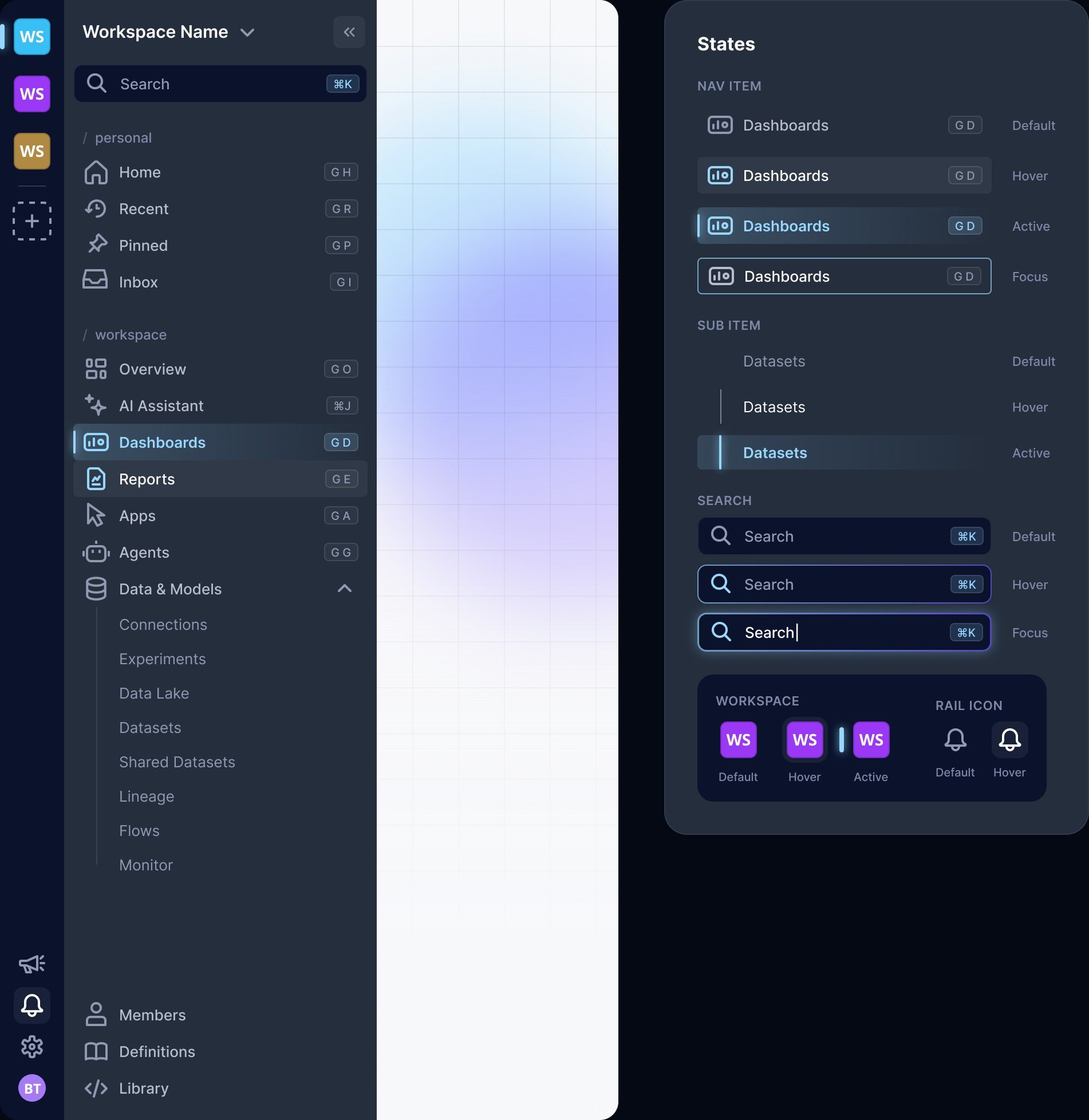
Three of the eight directions.
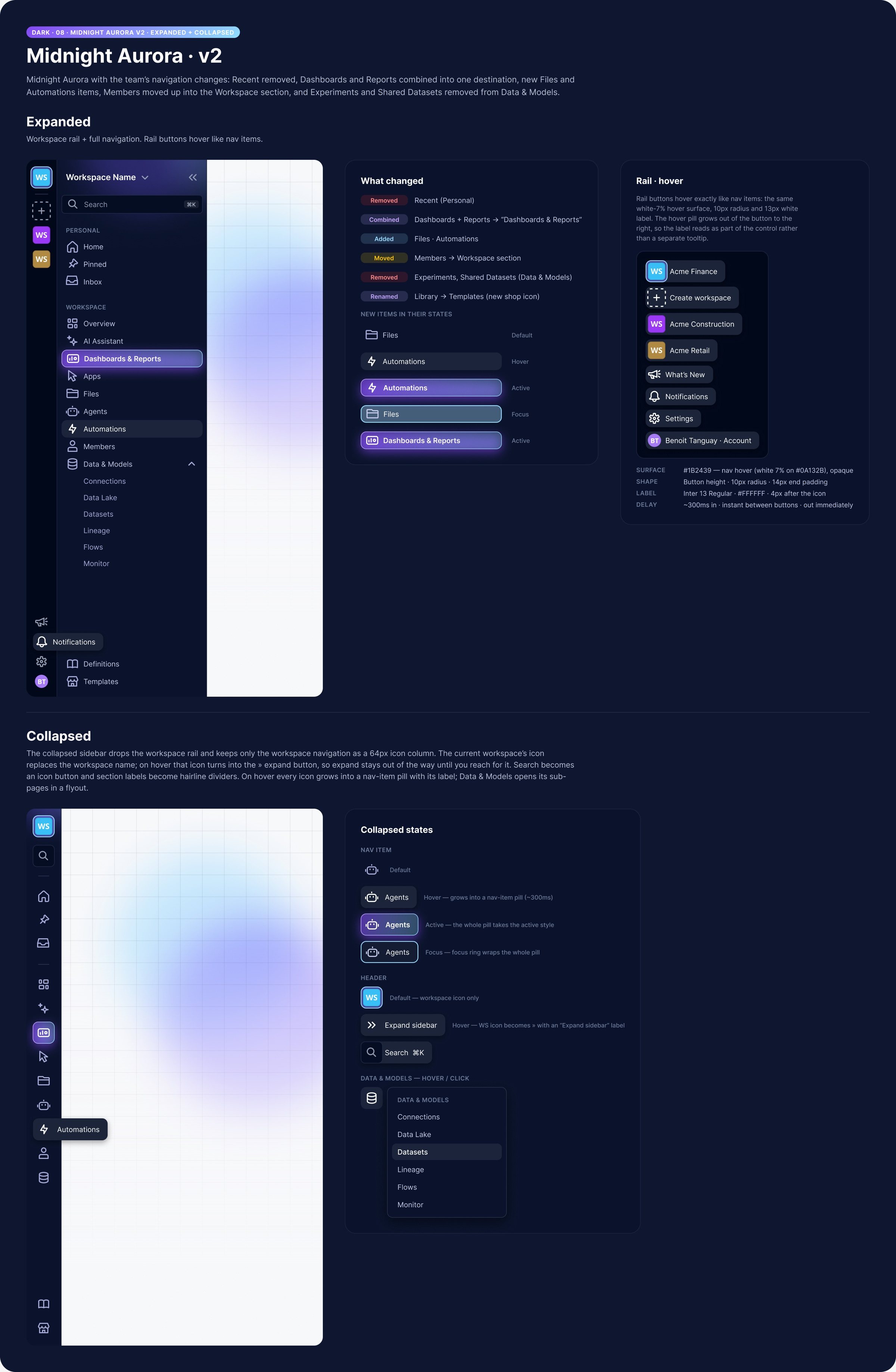
The chosen direction, expanded and collapsed, with the changelog beside it.
Build. I built it in one change to the app, 152 files, merged on October 16, 2026. The team followed with fixes from QA. Release 2615 shipped:
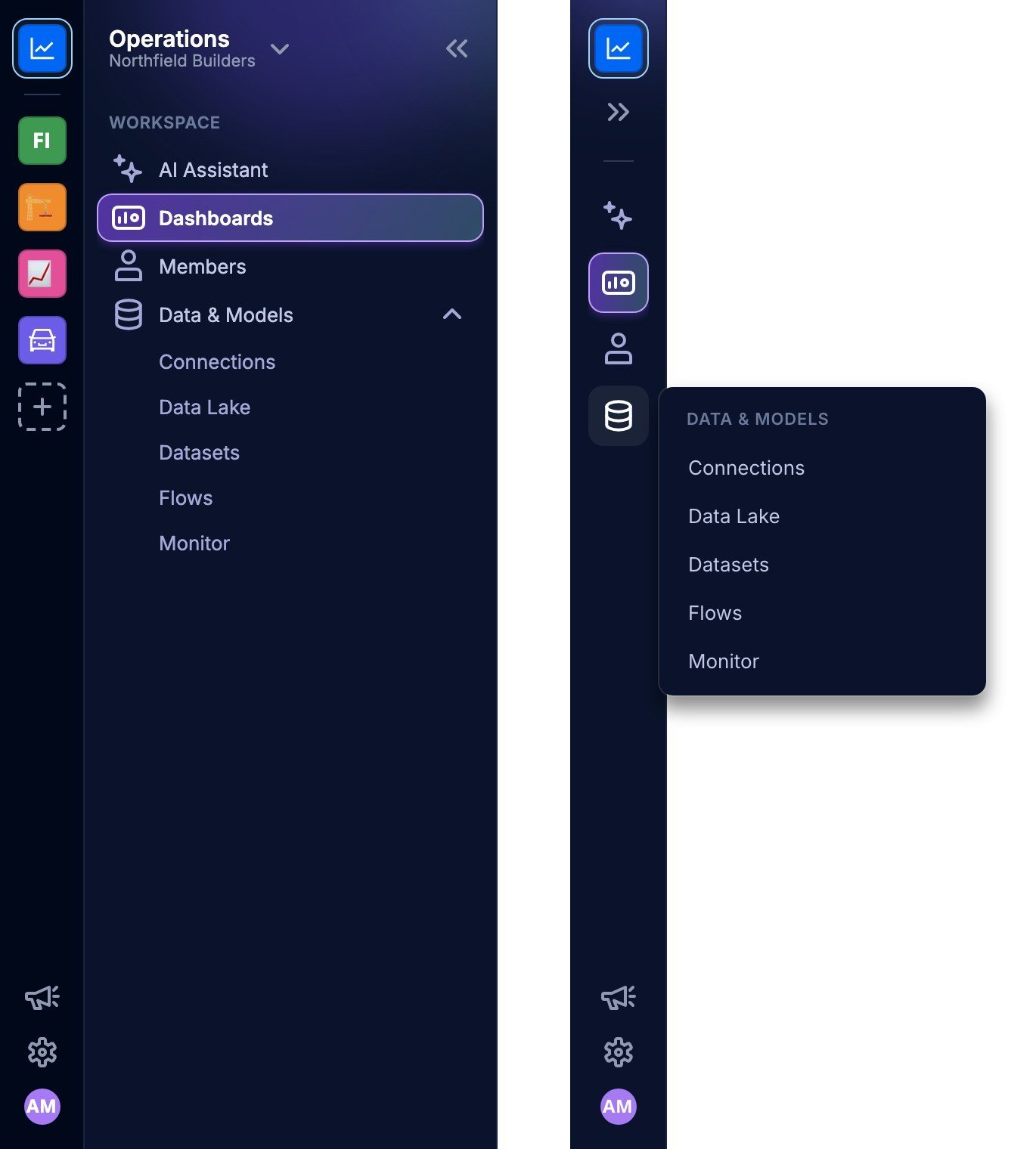
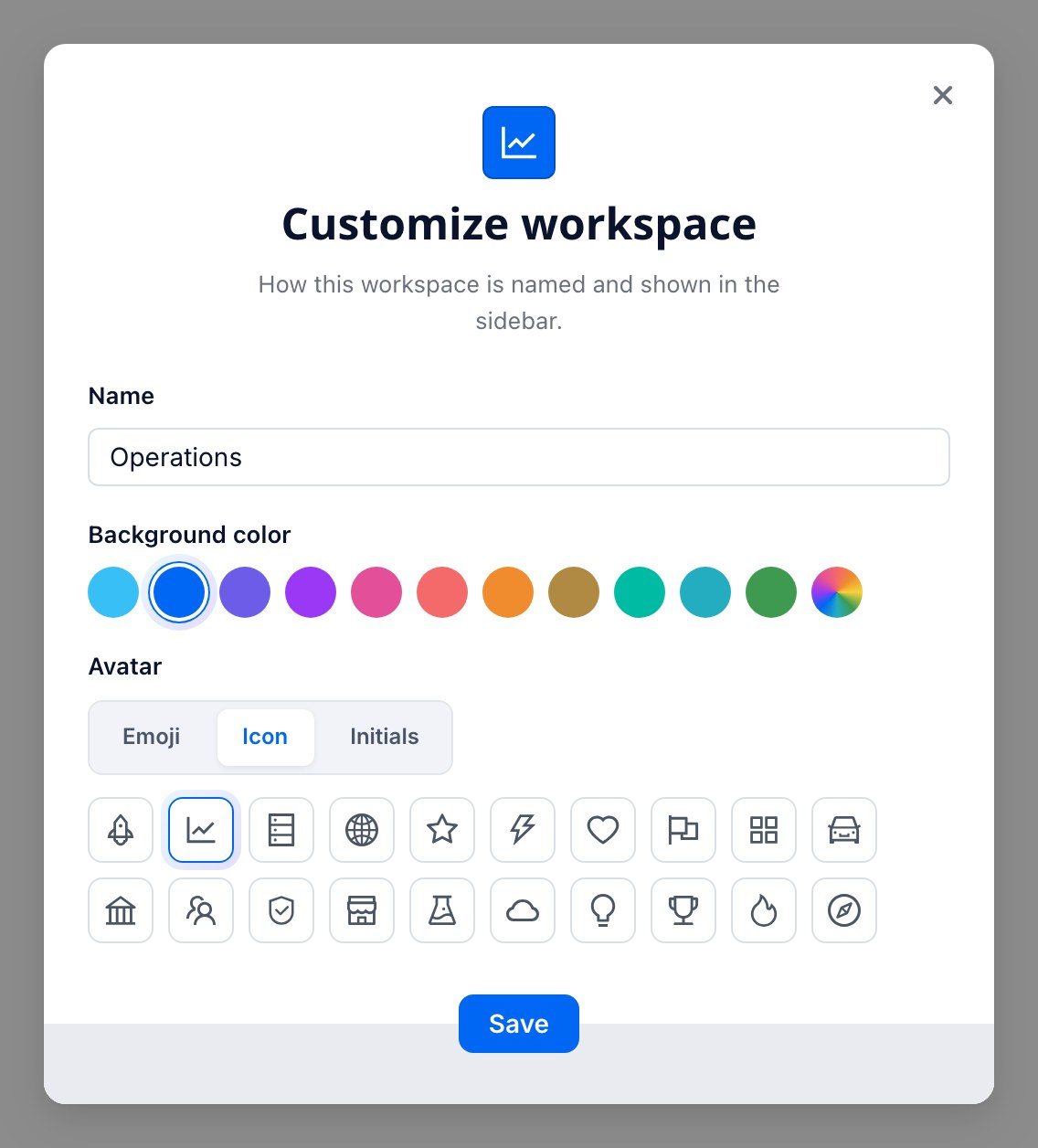
As shipped in release 2615: expanded and collapsed, and the Customize dialog admins open from the workspace name. Rendered from the shipped code with a sample company.
The skills from January cover what comes after a launch too, like the help article that explains a new sidebar to customers.
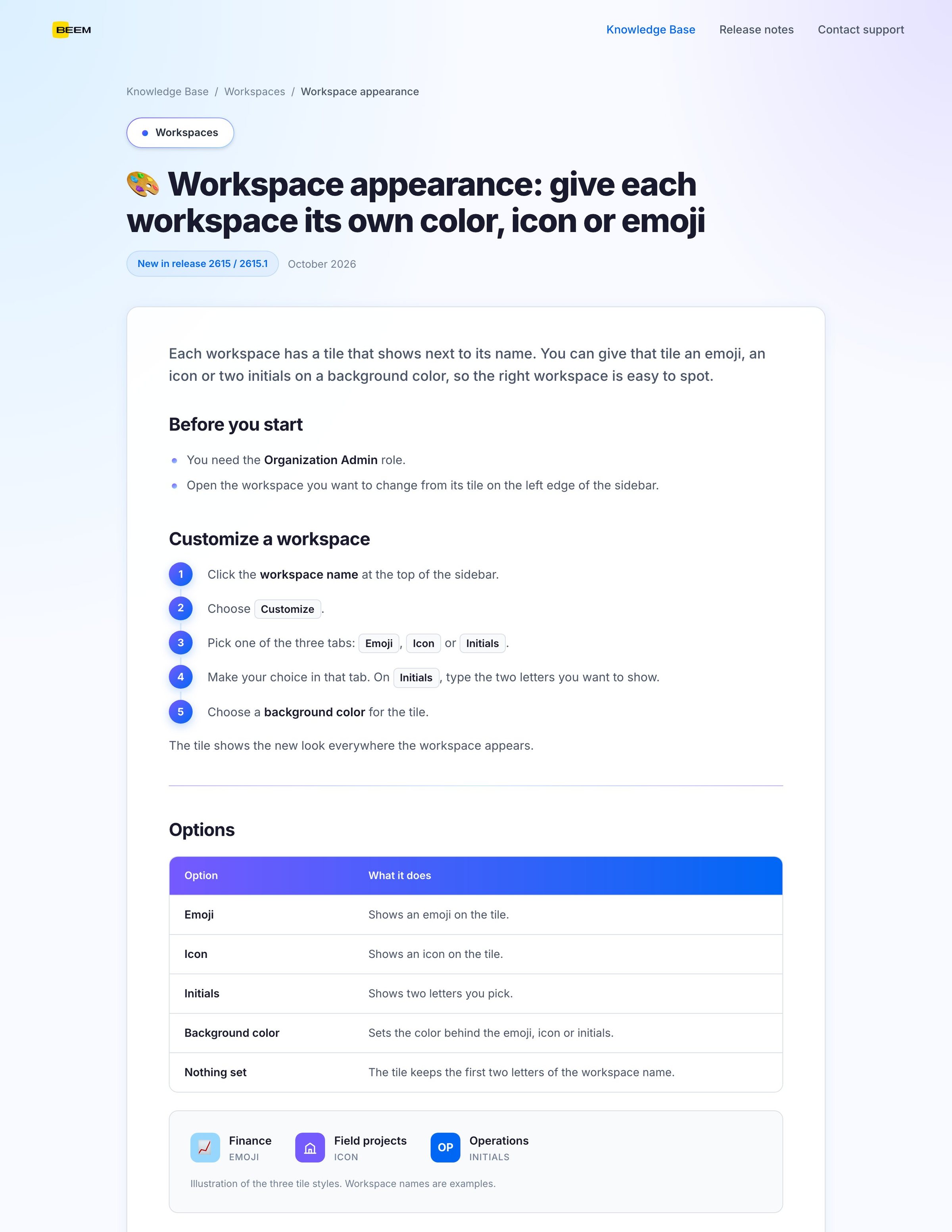
A help center article for the new sidebar, made with the skills on a sample company.

576 commits to the BEEM app in 2026, 244 of them in production, which makes me the second-largest contributor by commits in the repository’s history. The navigation shipped in release 2615, built in the team’s patterns and reviewed like any engineer’s change.
22 of my 30 skills are in the company marketplace, and colleagues now publish their own next to them.
The idea behind the work
Make the right way the easy way.
Write down the patterns, the brand and the product facts once, in a form the AI reads before it writes anything, so the default output is already reviewable and already on brand.

I took features from design to production while the roadmap outran the dev team.
Every change went through the same review as an engineer’s.

I ran the navigation exploration with other designers and wrote the reasons next to each decision, so reviews argued about the reasons.

I turned design standards, brand and product knowledge into skills the whole company uses.

Workshops, demos and pairing with each department to write their own skills.
Colleagues now publish their own skills to the marketplace.

Start with brand and product
Every other skill leaned on those two, so I’d write them first.

Keep a person on the details
AI-written code got the structure right early. Spacing and timing still needed my eye on every change.

Ship the tiles first
Workspace tiles were the navigation change people noticed most, and they could have gone out on their own a month earlier.
Credits: BEEM’s dev team, who reviewed every change, the designers on my team, and the colleagues who built the skills marketplace and published to it.